
Apr 30, 2025
We use our devices every day, so they need to work well for our needs. A device that’s slow or broken is inconvenient and can affect productivity for day-to-day tasks. But buying a brand new phone or laptop isn’t always the best option. We’ll cover eight things you should consider before making the purchase of a used device.
8 Things to Consider Before Buying Used Technology
Tech that's used can be a way to save cash. According to recent data, 70% of consumers bought or sold used technology in 2023. It’s a popular market that’s expected to grow to $2.7 trillion in 2025.
However, you still have to exercise caution when buying any used device. Before purchasing used electronics, consider these eight things:
1. Is the Device Still Supported?
Before actually buying used tech, check to see if it still gets updated. Older devices may not receive new software, which could make them less safe to use. Security updates protect your gadget against cyber attackers.
When a device is no longer supported, it can’t get security patches in the latest updates. This leaves an opening for hackers to get in. To protect your information, you should always be able to update the device you’re using.
If a device doesn't get these updates, then it’s not something worth buying. Check the manufacturer's website and see how long they support the device. This will let you know how long you can use it safely. Other brands could support their products longer than others do.
2. Device Age
The age of the device is very important. New devices generally work better and have long-lasting quality. If your device is a few years old, you may notice some performance issues.
Check when your device originally hit the market. This will tell you how old it is. You can look into newer models of devices and see their capabilities, too. Decide if the device will still provide whatever you require in the way of functionality.
3. Battery Health
Try to get a rough idea about the battery health. Certain vendors may provide that information for you. A healthy battery will allow you to use your device for long periods without having to charge it.
If your battery health is low, it may be time for an upgrade. Check out how much the replacement of the battery will be. Then, add it to the system cost.
4. Any Apparent Damage?
Visible damage on the device could mean bad performance. Cracks and dents might indicate falls or rough handling. They could also signal severe internal problems within the gadget.
Water damage can also cause a number of problems. Look for discoloration or rust. If there’s noticeable damage to the device, it may not be worth it. Major defects can impact how the device works when you use it daily.
5. Are All Accessories Available?
Ensure that you get everything that you might need with the gadget. Missing items could mean additional purchases later. Chargers and cables are important. Ensure that they are present with your purchase.
Extra things such as cases and headphones are always nice to have. Check whether they are included. If you have to purchase these items separately, it will add to the overall cost.
6. What's the Return Policy?
It is always important to know the details of the return policy. This way, you can take it back if something goes wrong. If anything happens to the device, a warranty can help with repair or replacement. Check these details before purchasing to be safe.
7. What is the Cost?
Compare it with new and other used alternatives to make sure you’re getting the best deal. Sometimes buying a brand new device doesn't cost much more. You may consider buying one as new instead if it’s not too far off. Research several sellers to make sure you’re not overpaying.
8. Is It Possible to Try Before You Buy?
It's always a good idea to try a device before you buy. This is especially true when buying on a peer marketplace. If at all possible, meet the seller and try out the device in person. It's the best way to test before making a commitment.
Not able to meet in person? Ask for a video. The seller can make a video demonstrating the device. This way, you can make sure you’re not wasting your time meeting them. To be safe, you can purchase a used device from a major retailer and test the device in the store.
Buying Used Tech
Buying used technology can be a little tricky, but if you think about these things, you're likely to make a good choice. Remember to check key things like battery health, device support, and prices before you buy. While used tech can be cheaper than new, it’s not always a better deal.
Make sure the device you choose will work well for your needs. It should also be secure to use and be functional for a long time. If you can find a used device that’s not too old at a comparable price to new ones, you may have a great deal on your hands. Contact us today for help finding a quality used device.
--
Featured Image Credit
This Article has been Republished with Permission from The Technology Press.
Apr 25, 2025
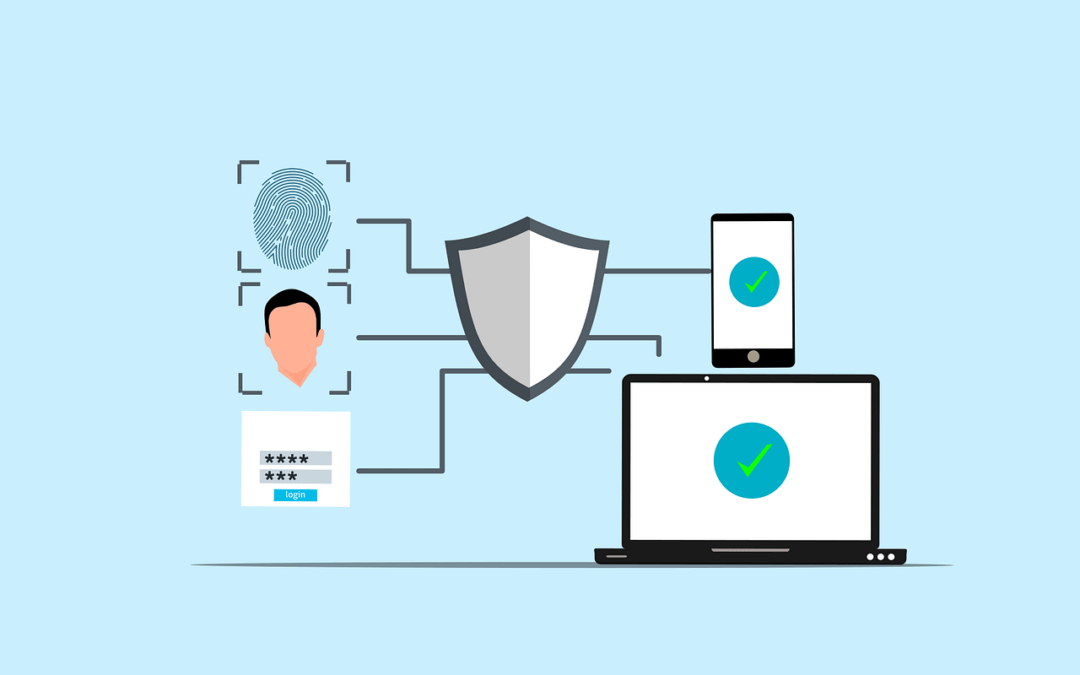
The Cyber Trust Mark is a new smart device label created by the US government to prove that a device is safe. Internet of Things (IOT) devices have risen in popularity recently. Devices like smart thermostats and baby monitors make our lives easier, but also open us up to cyber threats.
There were over 112 million IoT cyber attacks worldwide in 2022, and this number continues to grow. With an increase in AI-powered attacks, an 82% increase was expected in 2024. The United States created new standards to confirm a device is safe.
As a result, you may see a shield with the "U.S. Cyber Trust Mark" when device shopping. Let's take a look at what this means and how you can use this new feature next time you make a purchase.
What is the Cyber Trust Mark?
Smart devices are everywhere nowadays, from our homes to offices. Yet, some such devices are still insecure, leaving openings for hackers to steal our info and spy on us. In 2023, TVs, smart plugs, and digital video recorders had the most IoT vulnerabilities and attacks. Many more types of devices may be dangerous without our knowledge.
This problem is now being solved through the Cyber Trust Mark. It will tell you which device is safe without a doubt. Even if you’re not tech-savvy, you can purchase with confidence.
How Does a Device Get the Cyber Trust Mark?
To get the U.S. Cyber Trust Mark, a device has to undergo tests to verify its security. These tests cover several points and examine things like:
First, the device should have strong passwords. Weak passwords are easily guessed by hackers. This is one of the most common ways cybercriminals hack into devices. Next, the device should keep your information safe. It should use appropriate methods to lock up your data for privacy and security.
The device should also be regularly updated. These updates fix problems and keep the device safe from hackers. Devices with frequent updates are more secure than others.
How Often are the Standards That Define the Cyber Trust Mark Updated?
The standards of the mark will change over time. New threats keep appearing, and the government will update the standards to cope with these. This way, the mark will always stand for good security.
Retesting of the devices might sometimes be necessary. This helps to ensure that they still meet the standards.
How Can Companies Get the Mark for Their Devices?
Companies have to apply to get the mark. They send their devices for testing, and if it passes, it gets the mark. The company can then put the mark on the box of the device.
This requires time and costs, but it’s worth it for businesses. It can help them sell more devices with an increase in consumer trust.
When Will We See the Cyber Trust Mark?
It is new, but the mark will start showing up on devices soon. They want stores to start using it immediately, meaning the next time we go shopping, we may see it. Many types of smart devices may obtain the Cyber Trust Mark, including but not limited to the following:
- Smart TVs
- Smart speakers
- Security cameras
- Smart thermostats
- Smart locks
How Does the Mark Help Consumers?
The Cyber Trust Mark makes shopping simpler. It doesn’t require any technical knowledge. All you have to do is look for the mark to confirm which device is safe.
The mark also encourages companies to make safer devices. They want the mark, so they work harder at security.
What if a Device Doesn’t Have the Mark?
If a device doesn't have the mark, that doesn't mean it's not safe. In this case, you should look into its safety features. You may also ask the store or check online for more information.
Wherever possible, it's best to choose devices that carry the mark. This way, you can be sure they have passed important safety tests.
What to Do If You Already Have Smart Devices?
If you already have smart devices, don't worry. You can still take steps to make them safer, even without the trust mark.
Here are some tips:
- Change default passwords
- Keep the software updated
- Turn off features you don't use
- Use a strong Wi-Fi password
Follow these steps to help protect your devices and your info.
What's Next for Smart Device Safety?
The Cyber Trust Mark is a big step for device safety, but it's just the beginning. We'll see more changes in the future. These may include:
- Stricter standards for the mark
- More types of devices getting the mark
- Better ways to test device safety
The goal is to make all our smart devices safer to protect our info and our privacy. For now, the mark will only apply within the U.S., but other countries may create something similar in the future.
Stay Safe and Smart
The Cyber Trust Mark helps us in making informed choices; it's an easy way to know what devices are safe. When you shop, look for the mark. It's your sign of a trustworthy device.
Keep in mind that device safety is constantly changing. Keep yourself informed about new threats and safety tips.
If you have any questions about device safety, don't be afraid to ask. Contact us today for help making your smart home safe and secure.
--
Featured Image Credit
This Article has been Republished with Permission from The Technology Press.
Apr 20, 2025
Mobile applications have become an integral part of our lives. We use them to browse the internet, network, communicate, and much more. But they open us up to risks caused by fraudsters who may steal information or damage our phones.
According to 2024 data from Asee, over 75% of published apps have at least one security vulnerability. This means that 3 out of every 4 your favorite apps could be risky to use. It’s important to be cautious while downloading and maintaining apps. Here are ten simple tips that can help keep your mobile apps secure.
Why Is Mobile App Security Important?
Not only do 75% of apps risk our security, but business apps are three times more likely to leak log-in information. These risks also include even the most popular apps. Those with over 5 million downloads still have at least one security flaw.
Using mobile apps is not always safe. There are many ways for hackers and criminals to steal your data. This can happen because of your internet connection, app permissions, and more. Next, we’ll cover ten essential security tips to keep your data safe when using mobile apps.
Top 10 Security Tips for Mobile App Users
Mobile apps can be dangerous, but there are ways to reduce these risks. If you’re careful about where you download apps, the permissions you allow, the internet connection you use, and more, you can keep your data as safe as possible. Here are the top ten security tips for mobile app users:
1. Only download from official stores
The first step of mobile app security is choosing safe apps. Some apps are not secure, even when they look legit. It’s important to be aware of the source before you click download. Always download your apps from the App Store or Google Play.
These stores check apps to make sure they're safe. Don't download from random websites. They might have fake apps that can hurt your phone.
2. Check app ratings and reviews
Before you download an app, see what other people are saying about it. If lots of people like it and say it's safe, it is probably fine. But if people are saying it has problems, perhaps you don't want to install it.
3. Read app permissions
When you find an app you want to download, stop and do research first. If you download a fake app by mistake, your device may be attacked. It can open you up to malware, ransomware, and more threats.
Apps frequently request permission to access certain parts of your phone. Maybe they want to know your location or use your camera. Consider whether they really need that information. If an app requests access to too much, do not install it.
4. Update your phone's operating system
Keep the software on your phone up to date. New updates frequently patch security vulnerabilities. This makes it more difficult for the bad guys to hack into your phone.
5. Use strong passwords
We use apps for many day-to-day tasks like sending emails, storing files, and sharing on social media. If an app is hacked, your personal information can be stolen.
Passwords protect your apps. Make sure your password is difficult to guess. Use letters, numbers, and symbols. Do not use the same password for all apps. That way, if a person guesses one password, he or she cannot access all your apps.
6. Enable two-factor authentication
Two-factor authentication means an additional step in order to log in. It can send a code to your phone or email. This will make it way harder for bad people to get into your accounts.
7. Beware of public Wi-Fi
Public Wi-Fi is never a safe space. There may be bad guys watching what you do online. Never use public Wi-Fi on important apps. Wait until you're on a safe network, like the apps for banking.
8. Log out of apps not in use
Log out of apps whenever you're done using them. This is even more important when the apps hold personal information, such as banking or email apps. In case someone steals your phone, it's much harder for them to access your apps.
9. Update your apps
Developers of applications usually fix security issues in updates. Keep updating your apps whenever newer versions get released. It will help in safeguarding your information.
10. Use security features
Lots of apps have additional security features. These may include fingerprint locks or face recognition. Switch these on if you can, as they can help stop other people using your apps. Even with these security tips, it’s important to take other measures to protect your data. Be sure to follow our tips on safe downloads and data protection in addition.
Stay Safe While Using Mobile Apps
It's not hard to stay safe with mobile apps. Just be careful and think before you act. Only download apps you trust. Keep your phone and apps updated. Use strong passwords and extra security when you can.
Remember, safety is in your hands. Don’t hesitate to ask for help with app security. For more mobile app security tips, feel free to contact us today.
--
Featured Image Credit
This Article has been Republished with Permission from The Technology Press.

Apr 15, 2025
Technology is fast, and in no time, our gadgets get outdated. According to data from Statista, consumers replace their devices about every 2-3 years. Still, it can be tricky to determine when an upgrade is needed.
Upgrading your device isn’t just about having the latest gadget. An up-to-date device is safer and more efficient. This article will help you in spotting the signs that your gadget needs replacement. We will talk about seven signs that it is time to get a new one.
7 Signs It’s Time for a Device Upgrade
It can be hard to tell when you need a new device, especially if you feel the current one is working fine. There are a few ways to tell your device is outdated, from slow loading times to lack of storage. Here are 7 signs it’s time for a device upgrade:
1. Is Your Device Slow and Laggy?
Slow performance is a major indicator. If your device takes an eternity to boot up, that might be a sign to get an upgrade. Apps that take too long to open can be really frustrating. Slow internet access could mean your gadget is getting older.
Most of us use our phones, computers, and tablets for day-to-day activities. A slow device makes texting, sending emails, managing calendars, and doing work more difficult. If you can save time in your day with work and personal tasks, the cost of an upgrade may be worth it.
2. Frequent Freezing and Crashing
Does your device freeze often? Crashes are another bad sign. If you see the spinning wheel a lot, your device might be struggling. These issues mean your device can't keep up with today's demands.
Freezing and crashing can impact your productivity. Imagine working on a document on your computer and losing everything when it crashes, or taking 20 minutes to type a simple email. This is why it’s important to have an up-to-date device.
3. How's Your Battery Life?
Battery problems are a clear upgrade sign. If your device dies quickly, it's a red flag. Needing to charge multiple times a day is not normal. A healthy device should last most of the day on one charge.
Check to see if your battery is swollen. This is a safety hazard and should be dealt with immediately. If your device often overheats, the battery may be malfunctioning. These are some pretty serious issues that, in most cases, mean it's time for a new device.
4. Is Your Storage Always Full?
Running out of space all the time? That's a good indication that an upgrade is due. It is frustrating when you can't install new apps. Constantly deleting photos and files is a pain. More storage is one great reason to upgrade.
5. Are You Missing Out on New Features?
New devices boast cool new features. If your device can't get the latest updates, you're missing out. Newer models often boast better cameras and screens. They also have faster processors and more memory.
Age plays a huge factor in device performance. Most smartphones last around 2-3 years, and laptops, perhaps 3-5 years. If your device is older than this, then it might be time for an upgrade. Older devices struggle with new software and apps.
6. Are Repairs Costing Too Much?
Repairing old devices can be costly. If the repair costs are high, upgrading may be wiser. Sometimes, the repair costs are almost equal to a new device. In such cases, it is often better to buy a new one.
Since older devices usually go for less on the market, repair costs can add up quickly. For example, if you break the screen on your iPhone X, it can cost more than $300 to repair it. An iPhone X can be purchased for around $175. These repair costs are more than the value of the actual device.
If you’ve had it for a while, you may have paid closer to $1,000 at the time of release. When you combine what you spent on your current device with any repair costs, you’ll notice it’s much better to upgrade.
7. Does Your Device Support the Latest Software?
Older devices often can't run new software. This may be a security risk and also means you miss new features. Consider upgrading if your device can't update to the latest OS.
Old software has security holes in it. Your data can easily be compromised by this kind of threat. Most hackers usually attack those gadgets operating on older, obsolete systems. This is why it’s important to keep your devices updated.
If you keep an old device around, your data becomes vulnerable. You won’t be protected by the latest security patches. A new device running on the latest update is the safest option.
Ready for a Fresh Start?
If you have been noticing these signs, then that is probably the time for an upgrade. The new device will make your digital life easier, more fun, and a bit safer. Think about your needs and budget in choosing a new device.
Don't wrestle with an older, slower device; upgrade to one that will serve you much better. Your increased security and productivity will thank you in the future. If you need help choosing a new device, contact us today.
--
Featured Image Credit
This Article has been Republished with Permission from The Technology Press.

Nov 30, 2024
Artificial Intelligence is no longer a technology reserved for companies with big budgets. Today, small businesses can access AI tools that help in several ways. Such as streamlining operations, improving customer experiences, and boosting profits.
The rise of affordable AI solutions has opened the door for small businesses. They can leverage these powerful technologies without spending a fortune. This post will explore seven great examples of how to use AI to succeed in a competitive market.
1. Streamlining Customer Support with AI Chatbots
Small businesses often struggle with limited customer service resources. AI-powered chatbots provide a cost-effective solution. They automate responses to common customer inquiries. And can sound less robotic than non-AI chatbots.
Here are a couple of ways AI chatbots add value to small businesses.
Reducing Response Times
AI chatbots can handle several conversations at once. This significantly reduces customer wait times. Chatbots work 24/7, ensuring support is always available. This removes the burden on human agents. It also customers with quick answers to their questions.
Enhancing Customer Experience
AI chatbots are becoming more sophisticated. They can engage in natural, human-like conversations. Small businesses can offer high-quality service without increasing overhead costs.
2. Improving Marketing with AI-Powered Analytics
Marketing is crucial for small businesses but can be time-consuming and costly. AI-powered analytics tools help businesses make smarter decisions. They provide insights based on customer behavior, preferences, and trends.
Targeted Advertising
AI can analyze customer data to create highly targeted ad campaigns. They help ensure that businesses spend marketing budgets efficiently. This increases return on investment (ROI).
Predicting Customer Trends
AI uses predictive analytics to forecast future trends based on historical data. This enables small businesses to adjust their strategies in real time. With AI, companies can adapt quickly, maximizing their reach and impact.
3. Automating Routine Tasks with AI Tools
Small business owners often juggle many roles. This includes managing inventory and handling customer inquiries. AI can help by automating repetitive, time-consuming tasks.
Scheduling and Calendar Management
AI tools can automate scheduling. This includes client meetings, appointments, or team collaboration. You can integrate AI with email platforms and calendars. This saves time and reduces the risk of human error.
Invoice and Expense Management
Managing finances is another area where AI excels. AI-driven accounting tools can automate invoicing, track expenses, and more. This reduces the administrative burden on small business owners. It also ensures financial data is accurate and up-to-date.
4. Enhancing Inventory Management with AI Forecasting
Managing inventory is a critical aspect of running a small business. Overstocking can lead to increased costs. Understocking results in missed sales opportunities. AI can help balance inventory levels by accurately predicting demand.
Demand Forecasting
AI algorithms analyze historical sales data. As well as seasonality and market trends to predict future demand. This allows small businesses to order the right amount of inventory. This reduces waste and ensures they always have what customers need.
Automating Reordering
AI can also automate the reordering process. It can set triggers when stock levels reach a certain threshold. This ensures that companies replenish inventory before items run out.
5. Personalizing Customer Interactions with AI
Personalized experiences are key to customer loyalty. AI tools can analyze customer data and provide insights. These insights enable businesses to tailor their interactions, making customers feel valued.
Companies that use personalization can generate as much as 40% more revenue.
Personalized Product Recommendations
AI-powered recommendation engines analyze customer preferences and past purchases. They use these to suggest products that are most likely to appeal to them. This can lead to increased sales and improved customer retention.
Customized Email Marketing
AI can also help businesses create personalized email marketing campaigns. It can segment customers based on their behavior, preferences, and purchasing history. AI tools can then generate tailored email content.
6. Enhancing Recruitment and HR Processes with AI
Hiring the right employees is critical but often a time-consuming process. AI tools can streamline recruitment and human resource (HR) processes. It helps businesses find the right talent more efficiently.
Screening Resumes
AI-driven recruiting tools can quickly scan resumes. This reduces the time spent manually reviewing applications. It allows business owners to focus on interviewing top candidates.
Predicting Employee Performance
AI can analyze employee data to predict which candidates are likely to succeed. This ensures that new hires are a good fit. It also reduces turnover and improves productivity.
7. Securing Data with AI-Powered Cybersecurity
Cybersecurity is a growing concern for small businesses. They often lack the resources to install robust security measures. AI-powered tools can help protect sensitive data from cyber threats. This ensures the safety of both business and customer information.
Detecting Anomalies
AI can check systems in real-time. It can detect anomalies that show potential security threats. AI tools provide early warnings. This allows businesses to respond quickly and prevent breaches.
Automating Threat Responses
Some AI-powered cybersecurity tools can automatically respond to threats. Such as isolating affected systems or blocking malicious traffic. This reduces the risk of data breaches and minimizes downtime.
Streamline AI Integration for Your Business Success
Now is the time to explore how AI can help your company succeed. Our business technology experts can help.
Reach out today to schedule a chat about leveraging AI to improve your bottom line.
--
Featured Image Credit
This Article has been Republished with Permission from The Technology Press.