
Oct 10, 2024
Your smartphone is a digital wallet, communication hub, and personal assistant. All rolled into one portable device. It’s packed with sensitive data, from financial information to personal photos. This makes it a prime target for cybercriminals.
Mobile malware is often overlooked. People focus on securing their laptops or desktops. But they don’t pay as close attention to smartphone and tablet security.
In 2023, attacks on mobile devices increased by 50% over the prior year.
The fact is that hackers haven’t overlooked mobile devices. They set many traps to get users to infect their devices with malware. We’ll uncover common mobile malware traps and tell you how to avoid them.
Common Mobile Malware Traps
Mobile malware is just like its computer counterpart. It is malicious software designed to harm your device or steal your data. It can arrive in various forms, from sneaky apps to deceptive links. Ignorance is not bliss here. Understanding the common traps is your first line of defense.
- Phishing Attacks: These are the most common. You receive a text or email appearing legitimate, often mimicking trusted brands. Clicking links or downloading attachments can lead to malware infection.
- Malicious Apps: Not all apps are safe. Some apps contain hidden malware that can steal data, display ads, or even control your device. Always research apps before downloading.
- SMS Scams: Phishing SMS scams, or smishing, use text messages to trick you. They lure you into clicking links or sharing personal information. Be wary of unexpected messages, especially those asking for sensitive info.
- Wi-Fi Risks: Public Wi-Fi networks are often unsecured. Connecting to them without caution can expose your device to hackers. Avoid accessing sensitive information on public Wi-Fi.
- Fake Apps: These mimic popular apps but are actually malware in disguise. They can steal your login credentials, financial information, or even control your device. Always verify app authenticity.
- Adware: While less harmful than other malware, adware can be annoying. It can also potentially expose you to other threats. It often comes bundled with other apps.
Protecting Yourself: Essential Tips
- Stay Updated: Keep your phone's operating system and apps updated. Install the latest security patches or turn on auto-update.
- Be Wary of Links and Attachments: Avoid clicking on links or downloading attachments. Particularly from unknown senders.
- Strong Passwords: Create complex passwords for your phone and all your apps. Consider using a password manager.
- App Store Safety: Only download apps from official app stores like Google Play or the Apple App Store. Read reviews and check permissions before installing.
- Beware of Public Wi-Fi: Use a VPN when connecting to public Wi-Fi to encrypt your data.
- Regular Backups: Back up your phone regularly to protect your data from loss or corruption.
- Security Software: Consider using a reputable mobile security app for added protection.
Extra Steps to Safeguard Your Smartphone
Here are a few more layers of protection you can use to fortify your smartphone's defenses.
Physical Security Matters
- Lock It Up: Always set a strong passcode, fingerprint, or facial recognition lock. Avoid simple patterns that can be easily guessed.
- Beware of Public Charging: Avoid using public USB charging stations. These can be compromised, allowing hackers to access your device.
- Lost or Stolen Phone: If your phone is lost or stolen, remotely wipe its data. This protects your sensitive information.
App Permissions: A Closer Look
- Limit App Permissions: When installing apps, carefully review the requested permissions. Deny unnecessary permissions to safeguard your privacy and data. For instance, a flashlight app doesn't need access to your contacts.
- Regular App Audits: Periodically review the apps on your phone. Uninstall apps you no longer use to reduce potential vulnerabilities.
Backup Your Data
- Cloud Backups: Use cloud storage services to back up your data regularly. This ensures you have a copy of your important files even if your phone is lost, stolen, or damaged.
- Local Backups: Consider backing up your phone to your computer. This is another added layer of protection.
Empower Yourself: Take Control of Your Digital Life
By following these tips, you can significantly enhance your smartphone's security. Remember, prevention is always better than cure. Stay vigilant, informed, and proactive in protecting your digital life.
Your smartphone is a powerful tool. But it's also a potential target for cybercriminals. By understanding the threats and taking proactive steps, you can prevent catastrophe. Enjoy the benefits of mobile technology without compromising your (or your company's) security!
Contact Us to Fortify Mobile Security at Home and Office
A majority of employees use personal devices for work. This means mobile malware can impact more than one individual. It can also lead to a data breach of an entire company network.
Be proactive and put mobile security in place now. Our team of experts can help with reliable solutions to secure all your devices.
Contact us today to schedule a chat about mobile device protection.
--
Featured Image Credit
This Article has been Republished with Permission from The Technology Press.

Oct 5, 2024
A business network is the lifeblood of operations. It's the digital artery that pumps data through your organization. It enables everything from email to critical applications and cloud services.
When problems sever that lifeline, the consequences can be catastrophic. Communication is cut off and productivity grinds to a halt. Additionally, it can leave your customers hanging and dry up revenue streams. This is the stark reality of network downtime.
When downtime happens, it’s important to identify the source as fast as possible. Understanding the issue can save you time, money, and countless headaches. Let's get started on keeping your network up and running smoothly. Read on for six helpful tips to troubleshoot common business network issues.
1. Identify the Problem
Understanding the nature of the problem is the first step in troubleshooting. By gathering detailed information, you can narrow down potential causes.
Determine the Scope
First, determine the scope of the problem. Is it affecting a single user, a group of users, or the entire network? This helps you zero in on the cause, and potential solutions.
For instance, if only one user has issues, it might be a device problem. If the entire network is down, it’s likely a more significant issue.
Ask Questions
Ask users specific questions about the problem. When did it start? What were they doing when it happened? Have they tried any solutions? Gathering detailed information helps pinpoint the cause.
Check Error Messages
Look for error messages or alerts. These can provide clues about the nature of the issue. Document these messages for future reference.
2. Inspect Physical Connections
Physical connections are often overlooked. But they can be a common cause of network issues. Check cables, ports, and power sources. This can help you quickly rule out or identify simple problems.
Check Cables and Ports
Inspect all cables and ports. Ensure that cables are securely connected and undamaged. A loose or damaged cable can cause connectivity issues. Test cables with another device to confirm they work correctly.
Verify Power Sources
Ensure all networking equipment has power. Check power cables and adapters. Sometimes, a simple power issue can cause network problems. Reset power sources if necessary.
Inspect Network Devices
Examine routers, switches, and modems. Ensure they are functioning correctly, and all lights show normal operation. Restart these devices to see if it resolves the issue. Sometimes, a reboot can clear temporary glitches.
3. Test Network Connectivity
Testing network connectivity helps identify where the connection fails. As well as whether the issue is device-specific or network-wide. Using simple tools and tests can provide valuable insights into the problem.
Use Ping and Traceroute
Use ping and traceroute commands to test network connectivity. These tools help identify where the connection fails. For example, if ping works locally but not remotely, the issue might be external.
Test Different Devices
Test the network with different devices. This helps determine if the issue is device-specific or network-wide. Does one device connect successfully while another doesn’t? Then the problem might be with the device, not the network.
Check Wi-Fi Signal Strength
If using Wi-Fi, check the signal strength. Weak signals can cause connectivity issues. Move closer to the router or access point and see if the connection improves. Consider using Wi-Fi analyzers to identify signal strength and interference.
4. Analyze Network Configuration
Network configuration issues can often cause connectivity problems. Check IP settings, DNS settings, and configurations on routers and switches. This can help you identify and resolve misconfigurations. Some of these are a bit technical. They might need the help of an IT services partner.
Check IP Settings
Verify IP settings on affected devices. Ensure devices have the correct IP addresses, subnet masks, and gateways. Incorrect settings can prevent devices from connecting to the network.
Review DNS Settings
Check DNS settings. Incorrect DNS settings can cause problems with accessing websites and services. Use reliable DNS servers and ensure settings are correctly configured.
Inspect Router and Switch Configurations
Review configurations on routers and switches. Ensure there are no incorrect settings or misconfigurations. Check for any changes that might have caused the issue.
5. Monitor Network Performance
Monitoring network performance helps identify ongoing issues and potential bottlenecks. There are many tools you can use for this purpose. They also help pre-warn you of network issues.
Use Network Monitoring Tools
Use network monitoring tools to track performance. These tools provide insights into network traffic, bandwidth usage, and potential issues. They help identify trends and pinpoint problem areas.
Check for Bottlenecks
Identify any network bottlenecks. High traffic or heavy usage can slow down the network. Consider upgrading bandwidth or optimizing traffic flow to ease congestion.
Look for Interference
For wireless networks, look for interference sources. Other electronic devices, walls, and even microwaves can interfere with Wi-Fi signals. Use different channels or frequencies to reduce interference.
6. Ensure Security and Updates
Keeping your network secure and up to date is crucial for smooth operation. Regular updates and security checks can prevent many common issues.
Update Firmware and Software
Ensure all networking equipment has the latest firmware and software updates. Updates often include bug fixes and performance improvements. Regular updates help maintain a stable and secure network.
Scan for Malware
Run malware scans on all devices. Malware can cause various network issues, including slow performance and connectivity problems. Use reputable antivirus software and keep it updated.
Review Security Settings
Check security settings on routers and firewalls. Ensure proper configurations and that no unauthorized changes have occurred. Strong security settings help protect the network from external threats.
Need Help Optimizing Your Business Network?
A reliable network is essential for business operations. Avoid costly downtime issues by working with our team to keep your network in top shape. We can put in place monitoring and other best practices. We’ll ensure your network runs smoothly and fully supports all your needs.
Contact us today to schedule a chat about improving your connectivity.
--
Featured Image Credit
This Article has been Republished with Permission from The Technology Press.

Sep 30, 2024
Buying a used laptop can be a great way to save money. But it comes with risks. You need to be careful and thorough in your evaluation. Otherwise, you could end up wasting your money.
You can’t only look at the outside when evaluating technology. This guide will help you understand what to look for when buying a used laptop (or desktop PC). These steps can keep you from losing money on a bad tech decision.
Determine Your Needs
Identify Your Purpose
First, identify why you need the laptop. Are you buying it for work, gaming, or general use? Your purpose will dictate the specifications you need. For example, gaming laptops need powerful GPUs. Business laptops focus on reliability and battery life.
Set a Budget
Decide how much you are willing to spend. Setting a budget helps narrow down your choices. Remember, used laptops vary greatly in price. Knowing your budget beforehand prevents overspending.
Check the Laptop’s Condition
Inspect the Physical Condition
Examine the laptop carefully. Check for any visible damage like cracks, dents, or scratches. Inspect the hinges to ensure they are not loose. A well-maintained exterior often indicates the care the laptop received.
Test the Keyboard and Touchpad
The keyboard and touchpad should work flawlessly. Type a few sentences to see if all keys respond. Test the touchpad for responsiveness and accuracy. These are crucial components, and any issues can be annoying.
Look at the Screen
Turn on the laptop and check the screen. Look for dead pixels, discoloration, or flickering. Ensure the brightness levels adjust properly. A damaged screen can be costly to replace.
Inspect the Ports
Check all the ports on the laptop. Test USB ports, headphone jacks, and charging ports. These should all function correctly. Non-working ports can be inconvenient and limit the laptop’s usability.
Check the Battery Life
Ask About the Battery
Ask the seller about the battery life. An old battery may not hold a charge well. Turn on the laptop and see how long it lasts on battery power. Replacing a battery can be expensive, so ensure the current one meets your needs.
Check Battery Health
Use software to check the battery’s health. Some operating systems have built-in tools for this. A healthy battery should keep most of its original capacity. Poor battery health might mean it needs a replacement soon.
Assess the Internal Components
Processor
The processor determines the laptop’s performance. Check the processor model and speed. Compare it with current standards. Older processors might struggle with modern applications.
RAM
RAM affects multitasking capabilities. Ensure the laptop has enough RAM for your needs. 8GB is the minimum for general use, while 16GB or more is ideal for gaming or heavy multitasking.
Storage
Look at the storage type and capacity. SSDs are faster and more reliable than HDDs. Make sure the laptop has enough storage for your files and programs. An SSD with at least 256GB is recommended.
Graphics Card
If you need the laptop for gaming or graphic design, check the GPU. Ensure it meets the requirements for your applications. Integrated graphics are fine for general use. But dedicated GPUs are better for demanding tasks.
Verify the Software and Operating System
Pre-installed Software
Check what software comes pre-installed. Ensure there are no unnecessary or malicious programs. A fresh installation of the operating system is ideal.
Operating System License
Verify the operating system is genuine and licensed. This ensures you receive updates and support. Ask for proof of sale or license keys if necessary.
Research the Seller
Check Seller’s Reputation
Research the seller’s reputation. Look for reviews and ratings from previous customers. A reputable seller is more likely to provide a quality product and good customer service.
Ask Questions
Don’t hesitate to ask the seller questions. Inquire about the laptop’s history, reason for selling, and any past issues. Honest sellers will provide clear and detailed answers.
Test the Laptop
Perform a Thorough Test
Before finalizing the sale, test the laptop thoroughly. Run different applications to check performance. Connect to Wi-Fi and test the internet connection. Play a video to ensure the speakers and display work well.
Use Diagnostic Tools
Use diagnostic tools to test hardware components. These tools can identify any hidden issues. They help ensure you don’t encounter problems later.
Consider Upgradability
Check Upgrade Options
Some laptops allow easy upgrades. Check if you can upgrade the RAM or storage. This can extend the laptop’s lifespan and improve performance. Upgradable laptops offer more flexibility and value.
Cost of Upgrades
Consider the cost of potential upgrades. Calculate if upgrading an older laptop is worth it compared to buying a new one. Sometimes, the cost of upgrades can approach the price of a new laptop.
Compare Prices
Research Market Prices
Research the market prices for similar models. Ensure you are getting a fair deal. Compare prices from different sellers. A lower price isn’t always better if the laptop has issues.
Factor in Extra Costs
Include extra costs in your budget. These might include new batteries, chargers, or software. Factor these into the total cost to avoid surprises.
Looking for a Good, Affordable Computer? Contact Us
Buying a used laptop can be a smart choice if you do your homework. But it can also be a nightmare if you buy one from the wrong person. If you’re looking for reliable hardware for business or home, we’re here to help. We have some great options for value and performance.
Contact us today to learn more.
--
Featured Image Credit
This Article has been Republished with Permission from The Technology Press.

Sep 25, 2024
The office landscape is undergoing a dramatic transformation. Gone are the days of sterile cubicles and monotonous routines. Today's smart offices are hubs of innovation. They’re designed to empower employees, optimize workflows, and foster collaboration.
This shift is driven by technology. Including smart features that seamlessly integrate into the physical workspace. But with so many options available, where do you begin?
Here are the top six smart office trends you should consider adopting. They can power productivity and boost employee satisfaction.
1. Internet of Things (IoT) Devices
Connected Office Equipment
IoT devices are revolutionizing the workplace. These devices connect office equipment, allowing them to communicate and operate more efficiently. For example, smart printers can alert you when they need more paper or toner. Smart coffee machines can ensure a fresh brew is ready when you arrive. IoT devices help automate mundane tasks, saving time and reducing stress.
Smart Lighting and Climate Control
Smart lighting and climate control systems can adjust based on occupancy and time of day. These systems use sensors to track the environment and make adjustments. This ensures optimal comfort while reducing energy costs. Employees work better in a well-lit, comfortable space. Automating these adjustments improves office efficiency.
Enhanced Security
IoT devices can also enhance office security. Smart locks and cameras provide real-time monitoring and control. You can grant access remotely or receive alerts if something unusual occurs. This provides peace of mind and ensures your office remains secure.
2. Artificial Intelligence (AI) and Machine Learning
Personalized Workspaces
AI can create personalized workspaces. It learns employees' preferences and adjusts settings accordingly. This includes desk height, lighting, and even digital workspace layout. Personalized environments improve comfort and productivity.
Virtual Assistants
AI-powered virtual assistants help manage tasks and schedules. They can set reminders, book meetings, and provide information on demand. Virtual assistants like these streamline daily activities. This allows employees to focus on more critical tasks.
Predictive Maintenance
AI can predict when office equipment will need maintenance. This reduces downtime and ensures everything runs smoothly. Predictive maintenance extends the lifespan of equipment and prevents unexpected breakdowns.
3. Collaborative Technologies
Unified Communication Platforms
Unified communication platforms integrate messaging, video conferencing, and email. This simplifies communication and ensures everyone stays connected. Platforms like these reduce the need to juggle several apps and streamline workflows.
On average, employees waste nearly 4 hours each week reorienting after an app switch.
Digital Whiteboards
Digital whiteboards enhance collaboration during meetings. They allow team members to share ideas in real time, regardless of location. Digital whiteboards save and share notes instantly, improving meeting efficiency and follow-up.
Project Management Tools
Project management tools keep everyone on the same page. They track tasks, deadlines, and progress. These tools provide visibility into project status. This helps ensure nothing falls through the cracks. By using project management software, teams can work more efficiently. As well as meet deadlines consistently.
4. Remote Work Solutions
Cloud-Based Services
Cloud-based services enable remote work. They allow employees to access files and applications from anywhere. This flexibility is crucial in today’s work environment. Cloud services also provide robust security and backup solutions, ensuring data remains safe.
Virtual Private Networks (VPNs)
VPNs secure remote connections. They encrypt data and protect against cyber threats. VPNs ensure that employees can work safely from any location. Implementing a VPN is essential for maintaining security in a remote work setup.
Video Conferencing Tools
Video conferencing tools promote communication with remote teams. They provide face-to-face interaction, which is vital for team cohesion. High-quality video and audio ensure effective communication. These tools also offer features like screen sharing and recording, enhancing their utility.
5. Smart Furniture
Ergonomic Designs
Smart furniture includes ergonomic designs that promote health and productivity. Adjustable desks and chairs can be customized to fit each employee. This reduces the risk of injury and improves comfort. Ergonomic furniture is an investment in employee well-being.
Integrated Technology
Some smart furniture integrates technology, such as wireless charging and built-in sensors. Desks with integrated charging stations keep devices powered without clutter. Sensors can remind employees to take breaks or adjust their posture. These features contribute to a more efficient and healthy workspace.
Modular Furniture
Modular furniture offers flexibility. It can be easily reconfigured to fit changing needs. This is ideal for dynamic work environments. Modular furniture supports collaboration. I can also be adapted as teams grow or projects change.
6. Data Analytics
Performance Metrics
Data analytics tools track performance metrics. They provide insights into productivity, workflow efficiency, and employee satisfaction. By analyzing this data, managers can make informed decisions. This leads to improved processes and better resource allocation.
Space Utilization
Analytics can also optimize the use of space. Sensors and software track how office space is used. This information helps in designing more efficient layouts. Optimizing space reduces costs and creates a more functional work environment.
Predictive Insights
Predictive analytics forecast trends and potential issues. This allows businesses to proactively address problems before they escalate. Predictive insights can improve everything from inventory management to employee scheduling.
Contact Us for Help Optimizing Your Technology
Adopting smart office trends can transform your workplace. By integrating these trends, businesses can create a more productive work environment. Stay ahead of the curve and embrace these innovations to improve your workflow.
The future of work is smart, and the time to start is now. Need some help from our IT optimization experts?
Contact us today to schedule a chat.
--
Featured Image Credit
This Article has been Republished with Permission from The Technology Press.
Sep 20, 2024
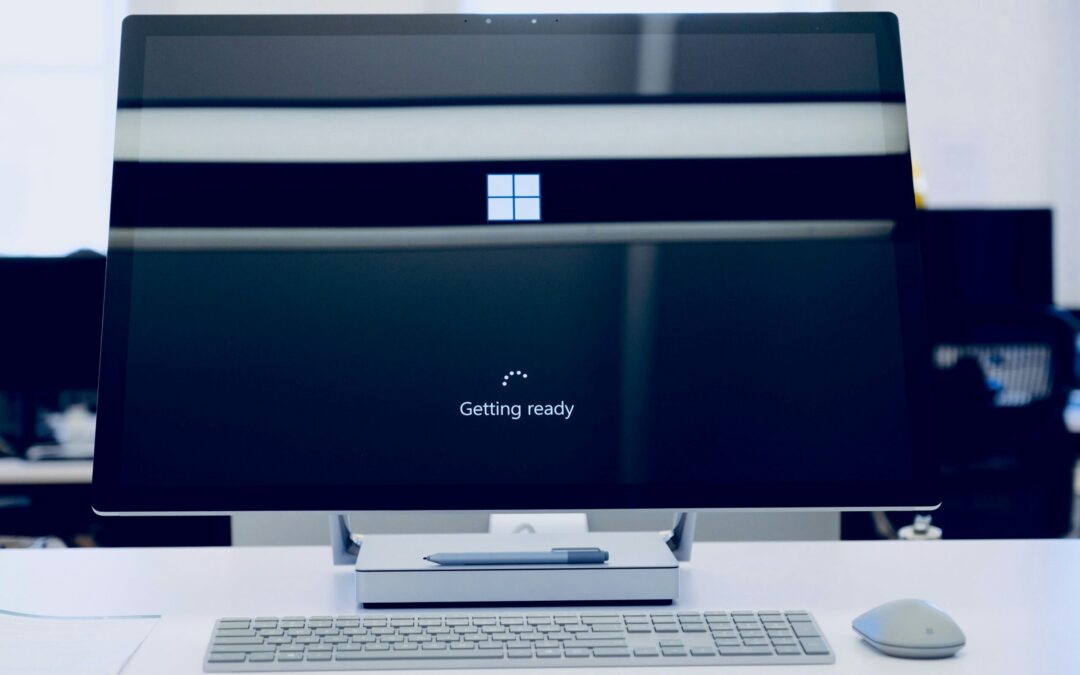
Windows 10 has served us well. But its time is running out. Microsoft plans to end support for Windows 10 on October 14, 2025. This means no more security updates, no more patches, and no more support.
It's time to upgrade to Windows 11. This is especially true for business users with many systems to check and upgrade. This change isn't just about getting new features. It's about ensuring your PC stays secure, fast, and capable.
Why You Need to Upgrade Now
Security Concerns
When Microsoft stops supporting Windows 10, your computer becomes vulnerable. No more updates mean no more security patches. Hackers and malware developers will exploit these vulnerabilities. Upgrading to Windows 11 ensures you receive the latest security updates. This keeps your data and personal information safe.
Enhanced Performance
Windows 11 is designed to be faster and more efficient. It optimizes your hardware, providing better performance. Whether you use your PC for work, gaming, or general browsing, you'll notice the difference. Applications run smoother, and boot times are quicker.
Improved Features
Windows 11 brings a host of new features. The redesigned Start Menu and Taskbar offer a fresh, modern look. Snap Layouts and Snap Groups help you organize your workspace. Virtual Desktops allow you to create different desktops for different tasks. These features enhance productivity and make your PC experience more enjoyable.
Hardware Requirements for Windows 11
Not all current PCs can run Windows 11. The new operating system has specific hardware requirements. Here are the basics:
- A compatible 64-bit processor with at least 1 GHz clock speed and 2 or more cores.
- 4 GB of RAM or more.
- 64 GB of storage or more.
- UEFI firmware with Secure Boot capability.
- TPM version 2.0.
- DirectX 12 compatible graphics with a WDDM 2.0 driver.
These requirements might mean you need new hardware. Many older PCs do not meet these specifications. If your PC doesn't meet these requirements, consider upgrading.
Upgrading Your Computer
Opportunity to Modernize
Upgrading your PC is an opportunity to modernize. Newer PCs come with better processors, more RAM, and faster storage. These improvements provide a significant boost in performance.
AI-Enabled PCs
Consider AI-enabled PCs with Copilot. These machines offer advanced features powered by artificial intelligence. They learn your habits and optimize performance accordingly. AI can predict what you need, making your PC experience smoother and more intuitive.
Energy Efficiency
Modern PCs are also more energy efficient. They use less power, which is good for the environment and your electricity bill. Newer hardware is often more efficient without compromising performance.
Benefits of Upgrading to Windows 11
Better User Interface
Windows 11 offers a cleaner, more intuitive user interface. The Start Menu is centered, providing easy access to your most-used apps. The Taskbar is simplified and customizable. These changes make it easier to navigate and use your PC.
Improved Multitasking
Snap Layouts and Snap Groups enhance multitasking. You can easily organize open windows and switch between tasks. Virtual Desktops allow you to create separate desktops for work and personal use. This organization improves productivity and reduces clutter.
Integrated Microsoft Teams
Windows 11 has Microsoft Teams built in. This makes it easier to connect with friends, family, and colleagues. You can quickly start a chat or video call from the Taskbar. This integration is particularly useful for remote work and staying connected.
Improved Virtual Desktops
Virtual Desktops in Windows 11 are more powerful and customizable. You can set different backgrounds for each desktop and organize your tasks better. This feature is ideal for separating work from personal use.
What Are the Risks of Waiting to Upgrade?
Increased Vulnerability
Waiting to upgrade increases your vulnerability. As Windows 10 approaches its end-of-support date, the risk of security threats grows. Hackers will target unsupported systems, knowing they won't receive updates. Upgrading now minimizes this risk.
Potential Compatibility Issues
Software developers will eventually stop supporting Windows 10. New applications and updates may not be compatible. This can lead to performance issues and lost productivity. By upgrading now, you ensure compatibility with the latest software.
Business Disruption
Beginning an upgrade for your office now gives time for a smooth rollout. You can upgrade one department at a time. This has the benefit of reducing potential disruption and spreading out the costs.
Avoid Last-Minute Rush
Upgrading now avoids the last-minute rush. As the end-of-support date approaches, many users will scramble to upgrade. This can lead to delays and increased demand for new PCs. Upgrading early ensures a smooth transition.
How to Upgrade
Check Compatibility
First, check if your current PC meets the Windows 11 requirements. Use the PC Health Check tool from Microsoft. This tool will tell you if your hardware is compatible.
Backup Your Data
Before upgrading, backup your data. Use an external hard drive or cloud storage. This ensures you don't lose important files during the upgrade process.
Follow Upgrade Instructions
Follow Microsoft's instructions for upgrading. This may involve downloading the Windows 11 installation file and running the setup. If your PC isn't compatible, consider purchasing a new one that meets the requirements.
Seek Professional Help
If you're unsure about upgrading, seek professional help. Our technology experts can make the process as easy as possible. We’ll ensure your upgrade goes smoothly and address any issues that arise.
Get Help with a Windows 11 Upgrade & Migration
The countdown to the end of Windows 10 has begun. Ensure your PC stays protected and up to date. Don't wait until the last minute! We’ll be happy to guide you through a successful upgrade to ensure you avoid future headaches.
Contact us today to schedule a chat.
--
Featured Image Credit
This Article has been Republished with Permission from The Technology Press.