
Sep 5, 2023
Cybersecurity has become paramount for businesses and individuals alike. Cyber threats abound, and data breaches and malware attacks are costly. Attacks come from all sectors, including the cloud tools you use every day.
The average employee uses 36 cloud-based services daily. Managing access to sensitive data and resources has become crucial. It’s a vital piece to maintaining robust security. One breached account in a business app can lead to significant consequences.
Login credentials are lucrative for hackers. Various online accounts can be a goldmine on the dark web. For example, an email administrator login can fetch between $500 to $140,000.
You need to ensure you’re addressing access management in your cybersecurity strategy. Otherwise, you could suffer serious financial consequences. Not to mention the loss of reputation that comes with a data breach.
We’ll look at six reasons access management has become essential to good data security. It plays a pivotal role in safeguarding valuable assets and ensuring data integrity.
Why Identity & Access Management (IAM) Should Be a High Priority
Mitigating Insider Threats
Insider threats can result from malicious actions or unintentional errors. They can come from employees within an organization or their breached accounts. IAM solutions enable businesses to install granular access controls and permissions. This ensures that employees have access only to the data necessary for their roles.
By minimizing excessive privileges organizations can reduce insider threats. Access management also provides visibility into user activities. It enables businesses to detect and respond to suspicious behavior in real-time.
Strengthening Data Protection
Data breaches can have severe consequences for businesses. They can lead to things like:
- Reputational damage
- Financial losses
- Regulatory penalties
- Permanent closure for those that can’t recover
Effective access management helps strengthen data protection. It does this by limiting access to sensitive information. As well as enforcing strong authentication measures.
Multi-factor authentication, encryption, and user authentication limit who can access what in a system. Access management solutions also enable organizations to track and control data transfers. This helps ensure that data remains secure throughout its lifecycle.
By implementing robust access controls, businesses can mitigate the risks. They reduce the chance of unauthorized data access. As well as protect their most valuable assets.
Enhancing Regulatory Compliance
Compliance with data privacy laws is a top priority for many organizations. IAM solutions play a vital role in ensuring regulatory compliance. They provide necessary controls and audit trails.
IAM tools also help companies adopt best practices, such as:
- Role-based access control (RBAC)
- Least privilege principles
- Contextual multi-factor authentication
Using access management, businesses can show compliance with regulatory requirements. IAM solutions also help with regular access reviews. They enable organizations to maintain an accurate record of user access and permissions. This is essential for regulatory audits and assessments.
Streamlining User Provisioning and Deprovisioning
Managing user accounts and access privileges manually can be a time-consuming process. It’s also prone to human error. Just one miskeyed entry can increase the risk of an account breach.
Access management solutions automate user provisioning and de-provisioning. This ensures that employees have appropriate access rights throughout their employment lifecycle.
When an employee joins an organization, access management simplifies the onboarding process. It quickly provisions the necessary user accounts and permissions based on their role.
When an employee leaves the organization, IAM tools ensure prompt de-provisioning of accounts. As well as the revoking of access rights. This reduces the risks of dormant or unauthorized accounts.
Remember the big data breach at Colonial Pipeline a few years back? The breach originated from an old unused business VPN account. One that had never been de-provisioned properly.
Streamlining user provisioning and de-provisioning enhances security and improves operational efficiency.
Enabling Secure Remote Access
Two things have largely changed the look of the traditional “office” in the last decade. These are the rise of remote work and the increasing reliance on cloud services. This change makes secure remote access vital for organizations.
IAM solutions provide secure authentication and authorization mechanisms for remote users. This enables them to access corporate resources and data securely. IAM is there whether employees are working from home, traveling, or accessing data via mobile. Access management ensures that they can do so without compromising security.
It includes features like:
- Virtual private networks (VPNs)
- Single sign-on (SSO)
- Multi-factor authentication (MFA)
These help secure remote access. While also maintaining the integrity and confidentiality of corporate data.
Improving Productivity
Using an identity and access management system can boost productivity. Imagine how much time your HR or IT team spends provisioning user accounts. It can take a significant amount of time to add all those login credentials. Not to mention deciding on user access permissions in each tool.
IAM systems automate this entire process. Using role-based access protocols, they can immediately assign the right level of access. If an employee leaves, the system can also immediately revoke access. This saves your administrative team considerable time and effort.
Get Help Putting a Strong IAM Solution in Place
Access management has evolved into a critical component of cybersecurity. It helps mitigate insider threats, strengthen data protection, enhance regulatory compliance, and more. We can help you put in place an IAM system that works for you.
Give us a call today to schedule a chat about beefing up your access security.
—
Featured Image Credit
This Article has been Republished with Permission from The Technology Press.
Aug 31, 2023
In today’s digital landscape, cybersecurity threats continue to evolve. They pose significant risks to individuals and organizations alike. One such threat gaining prominence is zero-click malware. This insidious form of malware requires no user interaction. It can silently compromise devices and networks.
One example of this type of attack happened due to a missed call. That’s right, the victim didn’t even have to answer. This infamous WhatsApp breach occurred in 2019, and a zero-day exploit enabled it. The missed call triggered a spyware injection into a resource in the device’s software.
A more recent threat is a new zero-click hack targeting iOS users. This attack initiates when the user receives a message via iMessage. They don’t even need to interact with the message of the malicious code to execute. That code allows a total device takeover.
Below, we will delve into what zero-click malware is. We’ll also explore effective strategies to combat this growing menace.
Understanding Zero-Click Malware
Zero-click malware refers to malicious software that can do a specific thing. It can exploit vulnerabilities in an app or system with no interaction from the user. It is unlike traditional malware that requires users to click on a link or download a file.
Zero-click malware operates in the background, often unbeknownst to the victim. It can infiltrate devices through various attack vectors. These include malicious websites, compromised networks, or even legitimate applications with security loopholes.
The Dangers of Zero-Click Malware
Zero-click malware presents a significant threat. This is due to its stealthy nature and ability to bypass security measures. Once it infects a device, it can execute a range of malicious activities.
These include:
- Data theft
- Remote control
- Cryptocurrency mining
- Spyware
- Ransomware
- Turning devices into botnets for launching attacks
This type of malware can affect individuals, businesses, and even critical infrastructure. Attacks can lead to financial losses, data breaches, and reputational damage.
Fighting Zero-Click Malware
To protect against zero-click malware, it is crucial to adopt two things. A proactive and multi-layered approach to cybersecurity. Here are some essential strategies to consider:
Keep Software Up to Date
Regularly update software, including operating systems, applications, and security patches. This is vital in preventing zero-click malware attacks. Software updates often contain bug fixes and security enhancements. These things address vulnerabilities targeted by malware developers. Enabling automatic updates can streamline this process and ensure devices remain protected.
Put in Place Robust Endpoint Protection
Deploying comprehensive endpoint protection solutions can help detect and block zero-click malware. Use advanced antivirus software, firewalls, and intrusion detection systems. They establish many layers of defense. These solutions should be regularly updated. This ensures the latest threat intelligence to stay ahead of emerging malware variants.
Use Network Segmentation
Segment networks into distinct zones. Base these on user roles, device types, or sensitivity levels. This adds an extra layer of protection against zero-click malware. Isolate critical systems and install strict access controls to limit the damage. These help to mitigate lateral movement of malware and its potential harm.
Educate Users
Human error remains a significant factor in successful malware attacks. A full 88% of data breaches are the result of human error.
Educate users about the risks of zero-click malware and promote good cybersecurity practices. This is crucial. Encourage strong password management. As well as caution when opening email attachments or clicking on unfamiliar links. Support regular training on identifying phishing attempts.
Use Behavioral Analytics and AI
Leverage advanced technologies like behavioral analytics and artificial intelligence. These can help identify anomalous activities that may indicate zero-click malware. These solutions detect patterns, anomalies, and suspicious behavior. This allows for early detection and proactive mitigation.
Conduct Regular Vulnerability Assessments
Perform routine vulnerability assessments and penetration testing. This can help identify weaknesses in systems and applications. Weaknesses that enable an exploit by zero-click malware. Address these vulnerabilities promptly through patching or other remediation measures. These actions can significantly reduce the attack surface.
Uninstall Unneeded Applications
The more applications on a device, the more vulnerabilities it has. Many users download apps then rarely use them. Yet they remain on their device, vulnerable to an attack. They are also more likely to lack updates.
Have employees or your IT team remove unneeded apps on all company devices. This will reduce the potential vulnerabilities to your network.
Only Download Apps from Official App Stores
Be careful where you download apps. You should only download from official app stores. Even when you do, check the reviews and comments. Malicious apps can sometimes slip through the security controls before they’re discovered.
Get the Technology Facts from a Trusted Pro
Zero-click malware continues to evolve and pose severe threats to individuals and organizations. It is crucial to remain vigilant and take proactive steps to combat this menace. Need help with a layered security solution?
Give us a call today to schedule a cybersecurity risk assessment.
—
Featured Image Credit
This Article has been Republished with Permission from The Technology Press.

Aug 25, 2023
Remote work has become increasingly popular in recent times. It provides flexibility and convenience for employees. Additionally, telecommuting reduces office costs for employers. Many also cite productivity benefits due to fewer distractions.
Research shows a 56% reduction in unproductive time when working at home vs. the office.
But there are some drawbacks to working outside the office. It’s crucial to be aware of the cybersecurity risks that come with remote and hybrid work. Keeping an eye on device and network security isn’t as easy. About 63% of businesses have experienced a data breach due to remote employees.
This news doesn’t mean that you must risk security to enjoy remote working. You can strike a balance. Be aware of the cybersecurity concerns and address them to do this.
Below, we’ll discuss some of the top cybersecurity risks associated with remote work. As well as provide practical tips on how employees and employers can address them.
Remote Work Risks & Mitigation
1. Weak Passwords and Lack of Multi-Factor Authentication
Using weak passwords puts accounts at risk of a breach. Also, reusing passwords across several accounts is a big cybersecurity risk. Remote workers often access company systems, databases, and sensitive information from various devices.
To mitigate this risk, you should create strong and unique passwords for each account. Additionally, enable multi-factor authentication (MFA) whenever possible. This adds an extra layer of security by requiring a second form of verification.
Employers can set up access management systems. These solutions help automate the authentication process. They can also deploy safeguards like contextual MFA.
2. Unsecured Wi-Fi Networks
Working remotely often means connecting to different Wi-Fi networks. Such as public hotspots or home networks that may not be adequately secured. These unsecured networks can expose your sensitive data to hackers.
To protect company data, use a Virtual Private Network (VPN). Turn on the VPN when connecting to public or unsecured Wi-Fi networks. A VPN encrypts the internet traffic. This ensures that data remains secure even on untrusted networks.
3. Phishing Attacks
Phishing attacks remain a prevalent threat, and remote workers are particularly vulnerable. Attackers may send deceptive emails or messages. These messages trick users into revealing their login credentials or downloading malicious attachments.
To defend against phishing attacks, be cautious when opening emails. Especially those from unknown sources. Avoid clicking on suspicious links. Verify the sender’s email address.
Also, be wary of any requests for sensitive information. If in doubt, contact your IT support team to confirm the legitimacy of the communication.
4. Insecure Home Network Devices
Many remote workers use Internet of Things (IoT) devices. These include smart speakers, home security systems, and thermostats. These devices can introduce vulnerabilities to your home network if not properly secured.
To address this risk, make sure to change the default passwords on your IoT devices. Also, keep them updated with the latest firmware. Consider creating a separate network for your IoT devices. A “guest” network can isolate them from your work devices and data.
Employers can improve security for remote teams using an endpoint device manager. Such as Microsoft Intune, or similar. These devices make it easier to manage security across many employee devices.
5. Lack of Security Updates
Regularly updating your devices and software is crucial for maintaining strong cybersecurity. Remote workers may neglect these updates due to busy schedules or limited awareness. Cybercriminals often exploit vulnerabilities in outdated software to gain unauthorized access to systems.
To mitigate this risk, enable automatic updates on devices and software whenever possible. Regularly check for updates. Install them promptly to ensure you have the latest security patches.
6. Data Backup and Recovery
Remote workers generate and handle a significant amount of data. The loss or corruption of this data can be devastating. Implementing a robust data backup and recovery plan is essential.
Back up your important files to a secure cloud storage service or an external hard drive. This ensures that if a hacker compromises a device, your data remains safe and can be easily restored.
7. Insufficient Employee Training
Remote workers should receive proper cybersecurity training. It helps them to understand security risks and best practices. Unfortunately, many companies neglect this aspect of cybersecurity. This leaves employees unaware of the potential threats they may encounter.
Organizations must provide comprehensive cybersecurity training to remote workers. This training should cover topics such as:
- Identifying phishing emails
- Creating strong passwords
- Recognizing suspicious online behavior
- New forms of phishing (such as SMS-based “smishing”)
Get Help Improving Remote Team Cybersecurity
Remote work offers many benefits. But it’s important to remain vigilant about the associated cybersecurity risks. Address these risks head-on and put in place the suggested measures. If you’d like some help, just let us know.
Give us a call today to schedule a chat.
—
Featured Image Credit
This Article has been Republished with Permission from The Technology Press.
Aug 5, 2023
Cybersecurity threats are becoming increasingly sophisticated and prevalent. In 2022, ransomware attacks jumped by 93%. The introduction of ChatGPT will only increase the potential damage of cyber-attacks.
Protecting sensitive data and systems requires a comprehensive approach. One that goes beyond a single security solution. This is where a defense-in-depth cybersecurity strategy comes into play.
In this article, we will explore the advantages of adopting a defense-in-depth approach. As well as its benefits for safeguarding your network and mitigating cyber risks.
What Does a Defense-in-Depth Approach Mean?
First, let’s define what it means to use a defense-in-depth approach to cybersecurity. In simple terms, it means having many layers of protection for your technology.
Just like how you might have locks on your doors, security cameras, and an alarm system to protect your home. A defense-in-depth strategy uses different security measures to safeguard your digital assets.
Many layers are better than one when it comes to security. A defense-in-depth strategy combines various defenses. This is to make it harder for cyber attackers to succeed.
These defenses can include things like:
- Firewalls
- Antivirus software
- Strong passwords
- Encryption
- Employee training
- Access management
- Endpoint security
A defense-in-depth strategy also emphasizes early detection and rapid response. It involves using tools and systems that can quickly detect suspicious activities. This enables you to catch an attacker early. And take action to reduce any damage.
A defense-in-depth cybersecurity strategy provides a strong and resilient defense system. Its several layers of security increase the chances of staying secure. This is especially important in today’s dangerous online world.
Advantages of Adopting a Defense-in-Depth Approach
Enhanced Protection
A defense-in-depth strategy protects your infrastructure in many ways. This makes it harder for attackers to breach your systems. Implementing a combination of security controls creates a robust security posture. Each layer acts as a barrier. If one layer fails, the others remain intact. This minimizes the chances of a successful attack.
Early Detection and Rapid Response
With a defense-in-depth approach, you have many security measures that can detect threats. As well as alert you to these potential dangers.
Some systems used to detect suspicious activities and anomalies in real-time are:
- Intrusion detection systems
- Network monitoring tools
- Security incident and event management (SIEM) solutions
This early detection allows you to respond quickly. This minimizes the impact of a potential breach. It also reduces the time an attacker has to access critical assets.
Reduces Single Point of Failure
A defense-in-depth strategy ensures that there is no single point of failure. Such as a single vulnerability that could compromise your entire security infrastructure. Relying solely on one security measure, such as a firewall, could prove catastrophic. Especially if it fails or if attackers find a way to bypass it.
It’s better to diversify your security controls. You create a resilient defense system. One where the failure of one control does not lead to a complete breach.
Protects Against Advanced Threats
Cybercriminals continually evolve their techniques to overcome traditional security measures. A defense-in-depth approach accounts for this reality. It incorporates advanced security technologies. Such as behavior analytics, machine learning, and artificial intelligence. These technologies can identify and block sophisticated threats. This includes zero-day exploits and targeted attacks. They do this by analyzing patterns and detecting anomalies in real-time.
Compliance and Regulatory Requirements
Many industries are subject to specific compliance and regulatory requirements. Such as the General Data Protection Regulation (GDPR) or the Health Insurance Portability and Accountability Act (HIPAA). Adopting a defense-in-depth strategy can help you meet these requirements.
By implementing the necessary security controls, you show a proactive approach. It’s proof of your efforts to protect sensitive data. This can help you avoid legal and financial penalties associated with non-compliance.
Flexibility and Scalability
A defense-in-depth strategy offers flexibility and scalability. This allows you to adapt to evolving threats and business needs. New technologies and security measures emerge all the time. You can integrate them seamlessly into your existing security framework.
Furthermore, you can scale your security controls as your organization grows. This ensures that your cybersecurity strategy remains effective. As well as aligned with your expanding infrastructure.
Employee Education and Awareness
A defense-in-depth approach extends beyond technology. It encompasses employee education and awareness. Educating your employees about cybersecurity best practices can significantly reduce risk. Especially those coming from human error and social engineering attacks.
Training and awareness programs create a human firewall. This complements your technical controls. It’s also a key component of any defense-in-depth cybersecurity approach.
Protect Your Business from Today’s Sophisticated Cyber Threats
We are in an era where cyber threats are constantly evolving. They are becoming even more sophisticated with AI. A defense-in-depth cybersecurity strategy is a must. Having many layers of security can significantly enhance your protection against cyber threats.
Looking to learn more about a defense-in-depth approach? Give us a call today to schedule a cybersecurity chat.
—
Featured Image Credit
This Article has been Republished with Permission from The Technology Press.

Jul 25, 2023
Online shopping has become a common activity for many people. It’s convenient, easy, and allows us to buy items from the comfort of our homes. But with the rise of online shopping, there are concerns about privacy and security.
Not all shopping apps are created equally. Often people get excited and install an app without checking privacy practices. Apps can collect more data from your smartphone than you realize. Whether you use your phone for personal use, business use, or both, your data can be at risk. So can your privacy.
Shady Data Collection Practices from Popular Shopping App SHEIN
Recently, security experts found a popular shopping app spying on users’ copy-and-paste activity. This app was tracking users’ keystrokes, screenshots, and even their GPS location. This raises the question: Is your online shopping app invading your privacy?
SHEIN is the app in question, and it’s a popular shopping app with millions of users. According to reports, researchers found the app collecting data from users’ clipboards. This included any text that users copied and pasted. This means that if the user copied and pasted sensitive information, the app would have access to it. Including things like passwords or credit card numbers.
Not only that but the app was also found to be tracking users’ GPS location. SHEIN was also collecting data from device sensors, including the accelerometer and gyroscope. This means that the app was able to track users’ movements. As well as collecting information about how they were using their device.
The app’s developers claimed that the data collection was for “optimizing user experience.” A very vague explanation that’s used by other app developers as well. The developers stated that the collected data was only used for internal purposes. But this explanation wasn’t enough to please privacy experts. Those experts raised concerns about the app’s data collection practices.
Temu Data Collection Practices Questioned
This isn’t the first time people caught an app grabbing data without users’ knowledge. Many popular apps collect data from their users, often for targeted advertising purposes.
The popularity of the shopping app Temu has been exploding recently. Since the app appeared in a Superbowl Ad in 2023, people have been flocking to it.
But Temu is another shopping app with questionable data collection practices. Some of the data that Temu collects includes:
- Your name, address, phone number
- Details you enter, like birthday, photo, and social profiles
- Your phone’s operating system and version
- Your IPS address and GPS location (if enabled)
- Your browsing data
So, what can you do to protect your privacy when using online shopping apps? Read on for a few tips.
Tips to Protect Your Privacy When Using Shopping Apps
Know What You’re Getting Into (Read the Privacy Policy)
Yes, it’s hard to stop and read a long privacy policy when you just want to use an app. But, if you don’t, you could end up sharing a lot more than you realize.
Before downloading an app, make sure to read its privacy policy. This will give you an idea of what data the app takes and how it’s used. You can try searching keywords like “collect” and “your data” to save time. This can help you jump to data collection details.
If you do this before you download, you may change your mind. After learning how much data the app collects from you, you may decide it just isn’t worth it.
Turn Off Sharing Features
Turn off any data-sharing features you don’t need in your phone’s settings. Such as location services. Most smartphones allow you to choose which apps you want to use it with.
Explore both your phone settings and the app’s settings to restrict data sharing as much as possible.
Remove Apps You Don’t Use
If you’re not using the app regularly, remove it from your phone. Having unused apps on your phone is a big risk. Even if they’re not actively in use, those apps can still collect data. For example, browsing activity or your activity in other mobile apps.
Research Apps Before You Download
It’s easy to get caught up in a fad. You hear your friend talk about an app, and you want to check it out. But it pays to research before you download. Look up the app and check security and data collection keywords. Inform yourself first before downloading an app that might be compromising your device data and activity.
Shop on a Website Instead
You can limit the dangerous data collection of shopping apps by using a website instead. Most legitimate companies have an official website. One where you can buy the same things as you can buy using the app.
Improve Your Mobile Device Security
Mobile devices are regularly used more than computers. But they often lack the same type of security. Give us a call today to schedule a chat about protecting your mobile device data.
—
Featured Image Credit
This Article has been Republished with Permission from The Technology Press.
Jul 15, 2023
In recent years, electronic mail (email for short) has become an essential part of our daily lives. Many people use it for various purposes, including business transactions. With the increasing dependence on digital technology, cybercrime has grown. A significant cyber threat facing businesses today is Business Email Compromise (BEC).
Why is it important to pay particular attention to BEC attacks? Because they’ve been on the rise. BEC attacks jumped 81% in 2022, and as many as 98% of employees fail to report the threat.
What is Business Email Compromise (BEC)?
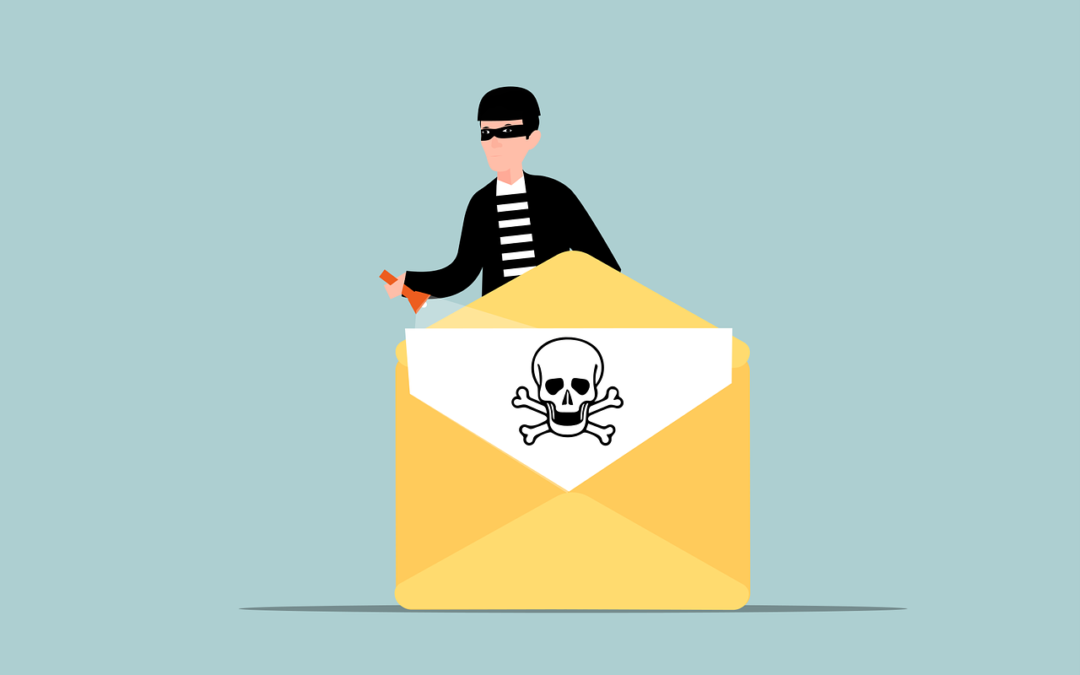
Business Email Compromise (BEC) is a type of scam in which criminals use email fraud to target victims. These victims include both businesses and individuals. They especially target those who perform wire transfer payments.
The scammer pretends to be a high-level executive or business partner. Scammers send emails to employees, customers, or vendors. These emails request them to make payments or transfer funds in some form.
According to the FBI, BEC scams cost businesses around $1.8 billion in 2020. That figure increased to $2.4 billion in 2021. These scams can cause severe financial damage to businesses and individuals. They can also harm their reputations.
How Does BEC Work?
BEC attacks are usually well-crafted and sophisticated, making it difficult to identify them. The attacker first researches the target organization and its employees. They gain knowledge about the company’s operations, suppliers, customers, and business partners.
Much of this information is freely available online. Scammers can find it on sites like LinkedIn, Facebook, and organizations’ websites. Once the attacker has enough information, they can craft a convincing email. It’s designed to appear to come from a high-level executive or a business partner.
The email will request the recipient to make a payment or transfer funds. It usually emphasizes the request being for an urgent and confidential matter. For example, a new business opportunity, a vendor payment, or a foreign tax payment.
The email will often contain a sense of urgency, compelling the recipient to act quickly. The attacker may also use social engineering tactics. Such as posing as a trusted contact or creating a fake website that mimics the company’s site. These tactics make the email seem more legitimate.
If the recipient falls for the scam and makes the payment, the attacker will make off with the funds. In their wake, they leave the victim with financial losses.
How to Fight Business Email Compromise
BEC scams can be challenging to prevent. But there are measures businesses and individuals can take to cut the risk of falling victim to them.
Educate Employees
Organizations should educate their employees about the risks of BEC. This includes providing training on how to identify and avoid these scams. Employees should be aware of the tactics used by scammers. For example, urgent requests, social engineering, and fake websites.
Training should also include email account security, including:
- Checking their sent folder regularly for any strange messages
- Using a strong email password with at least 12 characters
- Changing their email password regularly
- Storing their email password in a secure manner
- Notifying an IT contact if they suspect a phishing email
Enable Email Authentication
Organizations should implement email authentication protocols.
This includes:
- Domain-based Message Authentication, Reporting, and Conformance (DMARC)
- Sender Policy Framework (SPF)
- DomainKeys Identified Mail (DKIM)
These protocols help verify the authenticity of the sender’s email address. They also reduce the risk of email spoofing. Another benefit is to keep your emails from ending up in junk mail folders.
Deploy a Payment Verification Processes
Organizations should deploy payment verification processes, such as two-factor authentication. Another protocol is confirmation from multiple parties. This ensures that all wire transfer requests are legitimate. It’s always better to have more than one person verify a financial payment request.
Check Financial Transactions
Organizations should check all financial transactions. Look for irregularities, such as unexpected wire transfers or changes in payment instructions.
If you don’t perform these according to a schedule, it is easy for them to get forgotten. Set up a calendar item for the review of financial transactions. Use a schedule that makes sense for your business and transaction volume.
Establish a Response Plan
Organizations should establish a response plan for BEC incidents. This includes procedures for reporting the incident. As well as freezing the transfer and notifying law enforcement.
Use Anti-phishing Software
Businesses and individuals can use anti-phishing software to detect and block fraudulent emails. As AI and machine learning gain widespread use, these tools become more effective.
The use of AI in phishing technology continues to increase. Businesses must be vigilant and take steps to protect themselves.
Need Help with Email Security Solutions?
It only takes a moment for money to leave your account and be unrecoverable. Don’t leave your business emails unprotected. Give us a call today to discuss our email security solutions.
—
Featured Image Credit
This Article has been Republished with Permission from The Technology Press.