
IT Support in Harlingen, TX
RGV CompuTech provides business IT support in Harlingen for the computers, networks, and business software your team depends on every day. Our focus is ongoing managed IT services: proactive monitoring, routine maintenance, security, backup oversight, and continuing support—not just a one-time repair after something breaks. Based in Alamo, we serve Harlingen and businesses throughout the Lower Rio Grande Valley with remote help and hands-on support when appropriate.
We learn how your team works, explain what we find in plain language, and recommend practical next steps. Whether you need help with a current issue or want ongoing managed support, we will discuss a clear scope without unnecessary complexity.
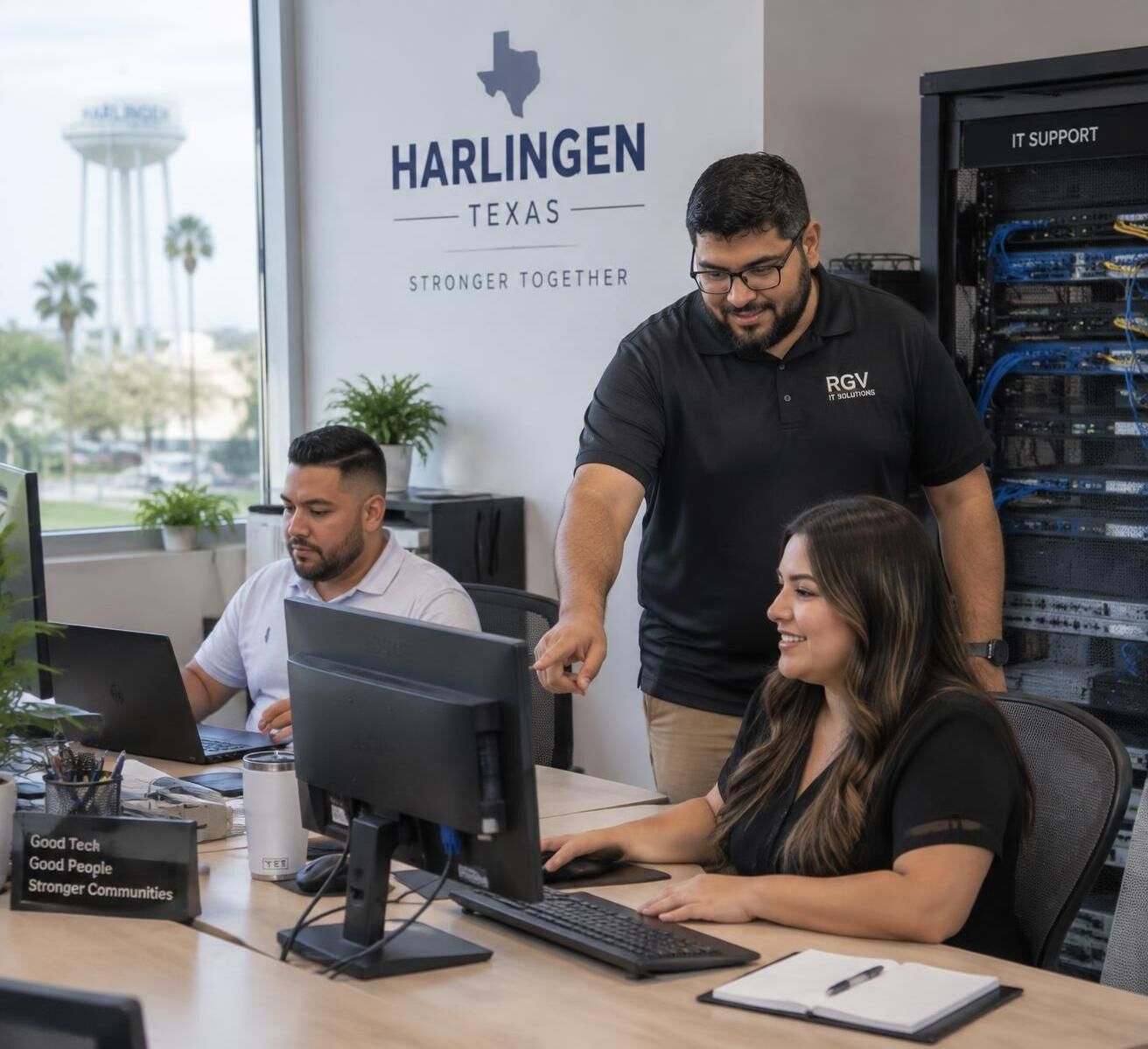
Business IT Support in Harlingen — Practical Help for Everyday Work
When computers, accounts, or network connections interrupt the workday, staff lose time and customers may have to wait. Our business IT support helps teams troubleshoot problems, care for user devices, and keep systems maintained. With managed IT services, RGV CompuTech can provide ongoing monitoring, maintenance, security and backup oversight, and support—so your team is not left waiting until something breaks to address IT needs.
Routine User & Device Help
Help for desktop computers, laptops, printers, and everyday business applications, with clear troubleshooting so employees can get back to work.
Ongoing Technology Care
Ongoing managed IT care can include device and system monitoring, software patches, operating system updates, account housekeeping, security checks, and backup oversight. We review the work and support scope with you; no monitoring or maintenance plan can prevent every interruption.
Planning & Maintenance
We review equipment age, licensing, and replacement timing with you, helping plan technology purchases before aging hardware becomes an urgent problem.
Cybersecurity for Harlingen Businesses — Practical Protection for Business IT
Cybersecurity starts with understanding how your business uses its computers, accounts, email, and network. A review can cover endpoint protection, account security, multi-factor authentication, staff awareness, DNS and web filtering, email and spam protection, firewall and network security, and backup and recovery practices. The right steps depend on your environment and the services in scope.
Tools such as Endpoint Detection and Response (EDR) and Managed Detection and Response (MDR) may be part of a security plan when appropriate. No single product or security measure guarantees protection; we explain practical options and help you understand how they fit together.
Account & Access Controls
Review password practices, multi-factor authentication, account permissions, and account recovery so access is managed carefully. Security awareness can also help staff recognize suspicious messages and requests.
Endpoint, Email & Web Protection
We can review endpoint protection options, including EDR and MDR where appropriate, along with email and spam protection and DNS or web filtering. We also look at security updates and firewall settings as part of a broader security plan; no product guarantees that every threat will be stopped.
Backup Continuity & Recovery Discussions
Review backup coverage, retention, and restore procedures so your team understands what is protected and how recovery would be approached after data loss, equipment failure, or file corruption.
Network Support for Harlingen Businesses — Dependable Office Connectivity
Reliable work depends on a network that connects people, devices, and business applications. Network Support in Harlingen can include reviewing Wi-Fi, switches, routers, firewalls, and recurring connection problems. We help businesses in Harlingen and across the Lower Rio Grande Valley with remote troubleshooting and hands-on support when appropriate.
Wi-Fi & Local Connectivity
Review Wi-Fi coverage, access points, guest access, and network separation to help staff and visitors connect appropriately throughout your workplace.
Equipment Configuration
Help reviewing and configuring business switches, firewalls, routers, and network printers, with attention to how they connect and support your team's daily work.
Diagnosing Drops & Latency
Methodical troubleshooting for frequent disconnections, slow local file transfers, and provider modem communication issues to restore predictable data flow.

Healthcare IT Support in Harlingen — Experience with Medical Practice Technology
RGV CompuTech was founded in 2001 as Computer Solutions to help physicians implement electronic medical record applications. That early focus led to more than 20 years of experience supporting healthcare technology and the systems surrounding medical practices—not only the applications, but also the workstations, networks, servers, EMR/EHR environments, backups, user access, and connectivity that staff rely on. We provide healthcare IT support in Harlingen for the everyday technology needs of medical, dental, and outpatient practices.
Medical IT support in Harlingen can include help with office computers, check-in workstations, scanners, network access, and connections to EMR/EHR environments. RGV CompuTech does not provide HIPAA certification, regulatory auditing, legal compliance certification, or legal compliance guarantees. We discuss your existing technology and the support needed for your practice; compliance responsibilities remain with the practice and its qualified advisors.
Who We Serve
RGV CompuTech works with small and growing businesses, multi-person offices, healthcare practices, and organizations that need practical IT help without unnecessary red tape. We explain options in plain language and focus on the technology your team uses every day.
IT Support for Produce & Distribution Businesses
Produce brokers, distributors, and logistics-oriented businesses depend on reliable computers, networks, servers, remote access, backups, and business applications. RGV CompuTech recently helped a produce-industry customer move from a basic workgroup environment to a Windows domain, improve security, implement managed backups, establish secure remote access, and transition to ongoing managed IT services. Our focus is the IT infrastructure surrounding business applications. For example, we can discuss the computers, network, access, and backup environment around software such as Famous ERP, without claiming a relationship with its vendor or providing application support.
Small & Growing Businesses
Owner-operated firms that need professional technical guidance for workstations, cloud email, and shared file access without staffing a full-time internal IT department.
Multi-Person Office Teams
Commercial offices, accounting groups, and service agencies where unexpected computer crashes, printer failures, or connectivity slowdowns immediately affect staff output.
Healthcare & Dental Practices
Medical and dental practices that need reliable workstations, internal network access, user account support, and routine technology care for the systems used in daily office work.
A Straightforward Approach — From First Conversation to Ongoing Support
Getting IT support started should be clear and straightforward. We learn about your team, current systems, and recurring problems, then discuss the support or project scope that fits. If ongoing managed IT services are a good fit, we can talk through monitoring, maintenance, security, backup oversight, and continuing support.
1. Discuss Needs & Pain Points
We ask about your team's daily work, recurring computer or network problems, business applications, and support priorities.
2. Review Current Environment
We review the computers, network, backups, accounts, and software your team relies on, then explain any issues or gaps we find.
3. Agree on Appropriate Next Steps
We discuss practical next steps, whether that means addressing a specific problem, planning a project, or setting up an ongoing managed IT support arrangement. The scope and schedule are agreed with you.
Frequently Asked Questions About IT Support
Answers to common questions about business IT support, managed services, and technology for Harlingen organizations.
What does business IT support typically cover?
Business IT support may include user troubleshooting, operating system and software updates, printers and scanners, email and account access, workstation care, network help, and backup questions. The right scope depends on your systems and support arrangement.
What is meant by managed IT services?
Managed IT services are ongoing support rather than waiting for a breakdown before calling for help. Depending on the agreed scope, this can include proactive monitoring, routine maintenance, security reviews, backup oversight, and continuing user and system support. It does not mean guaranteed uptime or that every issue can be prevented.
Can you assist our Harlingen office with intermittent network or Wi-Fi issues?
Yes. We can discuss recurring Wi-Fi or network problems, review routers, switches, and access points, and help plan practical troubleshooting. Remote assistance or hands-on support may be appropriate depending on the issue and location.
What are the boundaries for medical and healthcare practice support?
We provide general IT support for clinic computers, administrative workstations, office networks, and standard peripherals, and can discuss the technology surrounding EMR/EHR environments. We do not provide HIPAA certification, regulatory auditing, legal compliance oversight, or legal compliance guarantees. Practices remain responsible for their compliance policies and should consult qualified advisors.
Can we review cybersecurity practices for our team?
Yes. A review can cover passwords and account access, multi-factor authentication, endpoint and email protection, web filtering, staff awareness, firewall and network security, and backup and recovery practices. EDR or MDR options may be discussed where appropriate. No tool or review guarantees protection.
How do we get started with an initial consultation?
Send an inquiry through our Contact Us page to start a conversation. We can discuss your team's systems, current challenges, and whether remote or hands-on support is appropriate.
Talk Through Your Harlingen IT Needs
Talk with RGV CompuTech about the computers, network, security, backups, or business applications your team relies on. We can discuss practical next steps for your Harlingen business and ongoing managed IT support if that is what you need.