Let’s dive into a topic that might give you the chills—cybersecurity skeletons in the closet. You may not have old skeletons hidden away in the basement. But there’s a good chance of cybersecurity vulnerabilities lurking in the shadows. Just waiting to wreak havoc.
You can’t fix what you can’t see. It’s time to shine a light on these hidden dangers. So, you can take action to protect your business from potential cyber threats.
Let's get started uncovering threats that could leave your business in danger. Here are some of the most common cybersecurity issues faced by SMBs.
Outdated Software: The Cobweb-Covered Nightmare
We get it; updating software can be a hassle. But running outdated software is like inviting hackers to your virtual Halloween party.
When software vendors release updates, they often include crucial security patches. These patches fix vulnerabilities that hackers can exploit. So, don't let outdated software haunt your business. Keep everything up to date to ensure your digital fortress is secure.
Weak Passwords: The Skeleton Key for Cybercriminals
If your passwords are weak, you might as well be handing out your office keys to cyber criminals. Using "123456" or "password" as your login credentials is a big no-no.
Instead, create strong and unique passwords for all accounts and devices. Consider using a mix of upper and lowercase letters, numbers, and special characters. Password managers can be a lifesaver for generating and storing complex passwords securely.
As a business owner, you can’t expect your employees to do this naturally. Provide them with requirements for creating passwords. You can also set up software to force strong password creation.
Unsecured Wi-Fi: The Ghostly Gateway
Picture this: a cybercriminal sitting in a parked car. He’s snooping on your business's unsecured Wi-Fi network. Scary, right? Unsecured Wi-Fi can be a ghostly gateway for hackers to intercept sensitive data.
Ensure your Wi-Fi is password-protected. Make sure your router uses WPA2 or WPA3 encryption for an added layer of security. For critical business tasks consider a virtual private network (VPN). It can shield your data from prying eyes.
Lack of Employee Training: The Haunting Ignorance
Your employees can be your business's strongest line of defense or its weakest link. Employee error is the cause of approximately 88% of all data breaches.
Without proper cybersecurity training, your staff might unknowingly fall victim to phishing scams. Or inadvertently expose sensitive information. Regularly educate your team about cybersecurity best practices.
Such as:
Recognizing phishing emails
Avoiding suspicious websites
Using secure file-sharing methods
No Data Backups: The Cryptic Catastrophe
Imagine waking up to find your business's data gone, vanished into the digital abyss. Without backups, this nightmare can become a reality. Data loss can be due to hardware failures or ransomware attacks. As well as many other unforeseen disasters.
Embrace the 3-2-1 rule. Have at least three copies of your data, stored on two different media types. With one copy stored securely offsite. Regularly test your backups to ensure they are functional and reliable.
No Multi-Factor Authentication (MFA): The Ghoulish Gamble
Using only a password to protect your accounts is asking for trouble. It’s like having nothing but a screen door at the entrance of your business.
Adding MFA provides an extra layer of protection. It requires users to provide extra authentication factors. Such as a one-time code or passkey. This makes it much harder for cyber attackers to breach your accounts.
Disregarding Mobile Security: The Haunted Phones
Mobile devices have become office workhorses. But they can also be haunted by security risks. Ensure that all company-issued devices have passcodes or biometric locks enabled. Consider implementing mobile device management (MDM) solutions. These will enable you to enforce security policies. As well as remotely wipe data and ensure devices stay up to date.
Shadow IT: The Spooky Surprise
Shadow IT refers to the use of unauthorized applications within your business. It might seem harmless when employees use convenient tools they find online. But these unvetted applications can pose serious security risks.
Put in place a clear policy for the use of software and services within your business. Regularly audit your systems to uncover any shadow IT lurking under cover.
Incident Response Plan: The Horror Unleashed
Even with all precautions in place, security incidents can still happen. Without an incident response plan, an attack can leave your business scrambling.
Develop a comprehensive incident response plan. It should outline key items. Such as how your team will detect, respond to, and recover from security incidents. Regularly test and update the plan to ensure its effectiveness.
Need Some “Threat Busters” to Improve Your Cybersecurity?
Don't let cybersecurity skeletons in the closet haunt your business. We can help you find and fix potential vulnerabilities. As well as create a robust security posture that protects your business.
Give us a call today to schedule a cybersecurity assessment.
As technology continues to advance, so does the need for heightened awareness. As well as proactive measures to safeguard sensitive information.
Cybersecurity can seem like an insurmountable task for everyday people. But it’s not only a job for the IT team. Everyone can play a part in keeping their organization’s data safe. Not to mention their own data.
October is Cybersecurity Awareness Month. It serves as a timely reminder that there are many ways to safeguard data. Following the basics can make a big difference in how secure your network remains.
What Is Cybersecurity Awareness Month?
Cybersecurity Awareness Month (CAM) is an annual initiative held every October. It promotes cybersecurity awareness and education. It aims to empower individuals and organizations by giving them knowledge and resources. It helps people strengthen their defenses against cyber threats.
CAM started as a U.S. initiative, National Cybersecurity Awareness Month. Then, it quickly spread around the globe. It’s led by two agencies:
National Cyber Security Alliance (NCSA)
Cybersecurity and Infrastructure Security Agency (CISA)
This collaborative effort involves various stakeholders. Government agencies, industry leaders, and cybersecurity experts all come together. The goal is to raise awareness about cyber risks and best practices.
This Year’s Theme
This is CAM’s 20th year. To celebrate, the theme revolves around looking at how far cybersecurity has come. As well as how far it has to go. This year, CAM focuses on four key best practices of cybersecurity.
These are:
Enabling multi-factor authentication
Using strong passwords and a password manager
Updating software
Recognizing and reporting phishing
Let’s take a closer look at these four best practices of good cyber hygiene.
Essential Cyber Hygiene: 4 Keys to a Strong Defense
Central to Cybersecurity Awareness Month is the promotion of essential cyber hygiene practices. We follow good hygiene to maintain physical health. For example, we brush our teeth every day.
Cybersecurity also requires ongoing good hygiene practices to secure the online environment. These practices form the foundation of a strong cybersecurity defense. They help both individuals and organizations.
Enabling Multi-Factor Authentication (MFA)
Implementing Multi-Factor Authentication (MFA) adds a vital layer of security to all logins. In most cases, a hacker can't breach an account protected by MFA. This is the case even if the cyber crook has the password.
According to Microsoft, MFA can block 99.9% of attempted account compromise attacks. With that strong track record, everyone really should be using it. And using it on every login they have.
Strong Passwords & a Password Manager
Passwords remain a critical aspect of securing online accounts. Despite the increased use of biometrics, passwords still rule. Encourage your team members to use strong, unique passwords for each account. Avoid easily guessable information like birthdays or names.
Companies can help by setting strong password enforcement rules. This requires a strong password before it’s accepted in a system. For example, you may set up a policy that requires a password to have:
At least 12 characters
At least 1 upper case letter
At least 1 lower case letter
At least 1 number
At least 1 symbol
Updating Software
Outdated software creates vulnerabilities that cybercriminals can exploit. Regularly update operating systems, applications, and firmware. This ensures the latest security patches are in place.
Automating updates is a good way to ensure they’re done promptly. Companies can use endpoint device managers to handle updates across all employee devices. Managers like Intune simplify the process and enhance endpoint security.
Recognizing and Reporting Phishing
Phishing attacks are a common vector for cyber threats. Train your team to identify phishing emails, suspicious links, and unsolicited attachments. Encourage them to verify the sender's email address. As well as never provide sensitive information unless certain of the recipient's authenticity.
It’s also important to educate employees about phishing beyond email. Phishing via text messages has been increasing significantly. Some criminals phish via direct messages on social media platforms.
Another important aspect of phishing awareness is to report phishing. If it’s reported, then other employees know to avoid that phishing trap. The organization’s IT team also needs to know so they can take action to mitigate the threat. Be sure to let employees know how they can report a phishing email when they suspect one.
We Can Help You Put the Best Cyber Hygiene Practices in Place
CAM offers a valuable opportunity to refocus on the significance of cybersecurity. As well as prioritizing essential cyber hygiene practices. Building a culture of cybersecurity awareness within your team is important. It can be the difference between vulnerability and resilience.
Need some help ensuring a more secure and resilient future? Our team of experts can get you going on the basics. Once those are in place, your organization will be more productive and much more secure.
Most people are familiar with their device’s Airplane Mode. You've probably used it when jetting off to exotic locations. But did you know that it's not just for globetrotters?
That's right! Airplane Mode isn't only for flying; it can be a handy feature for your everyday life. Here are some top reasons why you should consider toggling it on, even if you're not traveling.
1. Save That Precious Battery Life
Who doesn't want their smartphone battery to last longer? Airplane Mode can be your secret weapon against those battery-draining apps. The ones that are constantly running in the background.
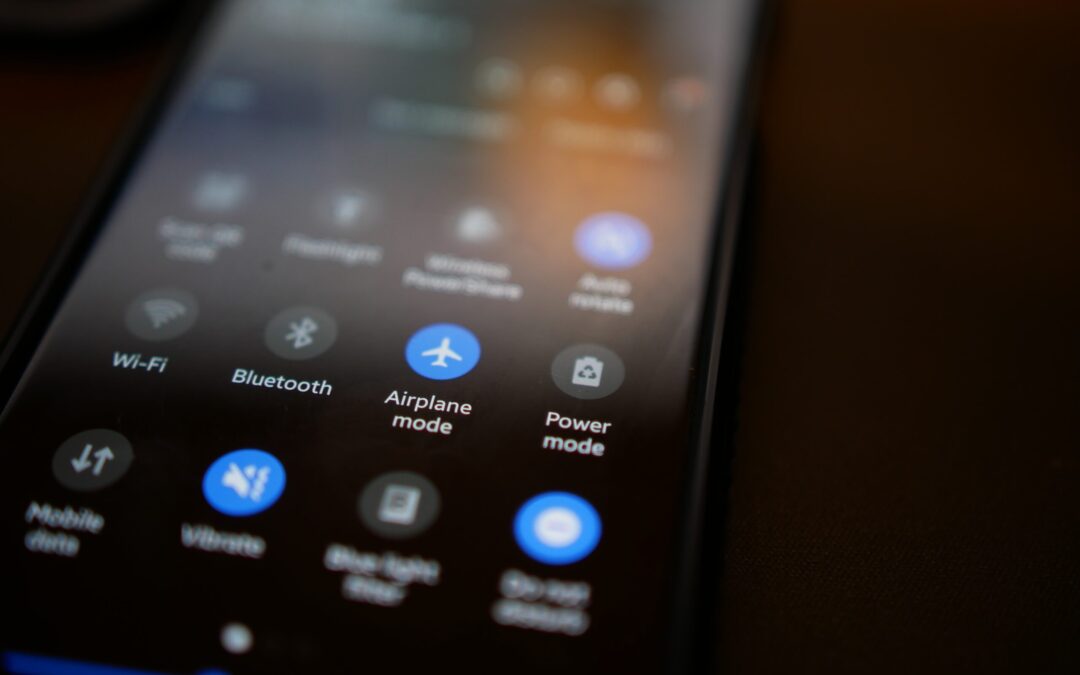
By switching on Airplane Mode, you effectively shut down all communication functions. This includes Wi-Fi, cellular data, and Bluetooth. This can be a lifesaver when you're running low on battery and need your phone to last until you can find a charger.
2. Boost Your Charging Speed
We've all experienced those moments of panic when our phone's battery is about to die. We desperately need to charge it ASAP. Well, here's a neat trick: put your phone in Airplane Mode before plugging it in.
Studies show that phones charge about 4 times faster in Airplane Mode.
By doing this, your phone won't be wasting power on syncing notifications. Or checking for updates or connecting to networks. As a result, it will charge up faster, getting you back in the game in no time.
3. A Tranquil Escape from Notifications
Life can get chaotic, and sometimes you need a break from constant pings. Turning on Airplane Mode grants you the gift of peace and tranquility, even if only for a little while. You can enjoy some quality "me" time. All without interruptions from social media alerts or work emails. It's like creating your little digital oasis!
4. Focus Mode: Engaged!
We all struggle with staying focused from time to time. Whether it's work, studying, or a creative project, distractions are everywhere. Airplane Mode can be your go-to tool to combat those distractions. By cutting off the internet connection, you'll find it easier to concentrate on the task at hand. So, next time you need to get in the zone, remember to flip that Airplane Mode switch!
5. Prevent Embarrassing Moments
Picture this: You're in an important meeting. Then suddenly your phone starts blaring an embarrassingly loud ringtone. Oops! And even if the ringer is off, phones often vibrate when getting a call or notification.
Avoid these awkward moments. Use Airplane Mode in situations where silence is golden. You can still use your phone for notetaking or accessing offline content. But without any fear of accidental disruptions.
6. Roaming Woes, Be Gone!
When you're in an area with poor cellular reception, what happens to your phone? It might tirelessly search for a signal. This can lead to battery drain. Airplane Mode can be a lifesaver in such situations.
By turning it on, you prevent your phone from endlessly searching for a network. This saves precious battery power. It can also keep you from connecting to a dangerous network.
7. A Digital Detox
Sometimes we all need a break from the digital world. It can be to reconnect with loved ones, enjoy outdoor activities, or simply be present in the moment. Airplane Mode lets you temporarily disconnect from the online realm. But you still have access to your phone's offline features.
8. Avoid Unwanted Radiation
The jury is still out on any health risks of mobile phone radiation. But some people prefer to err on the side of caution. Enabling Airplane Mode reduces your phone's radiation emission. This is because it disables most of the communication features. If you're concerned about exposure, using Airplane Mode can provide some peace of mind.
9. Save Data and Money
If you're on a limited data plan, turning on Airplane Mode can help you manage your data usage. As well as avoiding unexpected charges. It's a smart move. Especially when you're nearing the end of your billing cycle and don't want to exceed your data limit.
Remember, Airplane Mode isn't just for frequent flyers. It's a nifty feature that can enhance your daily life in various ways. It offers longer battery life and faster charging. As well as escaping the constant barrage of notifications, it has benefits. Airplane Mode can be your digital ally in a world that's always connected.
So, don't be shy to give it a try, and enjoy this underrated smartphone feature. Even when your feet are firmly on the ground!
Keep Your Smartphone Optimized & Secure
Do you need help securing your smartphone from viruses and attacks? Wish you knew how to use all its features better? Our team of experts can help with training and device security.
Apple's iOS updates have always been eagerly anticipated. iPhone and iPad users around the world get excited to see what their devices can do next. The newest major upcoming release will be for iOS 17. This fall, Apple is set to introduce a host of exciting new features and improvements.
iOS 17 promises to deliver an even more intuitive and seamless user experience. There will also be big changes for Messages and sharing across phones.
In this article, we'll take a closer look at some of the key features you can expect. Get ready to explore the latest innovations that Apple has in store for its users.
Get an Instant Transcript of Voicemails
How do you know if that voicemail that came in while in a Zoom meeting is important? iOS 17 is going to make that much easier to determine. When you get a voicemail, you’ll see a transcript of the message on your screen. No more guesswork!
Do you hate the picture that someone has saved of you in your contact? The one that comes up every time you call them? You’ll now have power over how you look when you call others.
Apple is introducing personalized Contact Posters. You can customize how you’ll look when calling people with whom you’ve shared your poster. You can appear as your photo, a Memoji, and more. You can also add text and colors.
Leave a Video or Audio FaceTime Message
You have better options when calling someone on FaceTime and they’re not there. Instead of just leaving a missed call. FaceTime will support audio and video messages. These are like enhanced voicemails.
Now, if you want to share an exciting visual in the moment, you can. Even if the person doesn’t pick up. You can leave it for them to watch later.
More FaceTime Enhancements – Reactions & Apple TV
Another cool enhancement coming to FaceTime are more expressive reactions. Some of the new ways to express yourself include:
Hearts
Balloons
Fireworks
Laser beams
Rain
and more
Also, a FaceTime call can now connect with AppleTV. See loved ones right from your large-screen television, as big as ever.
Stickers, Anyone?
If you’re a fan of stickers in messages, you’re going to love this next feature. Messages will be getting a big sticker enhancement in iOS 17. This includes new emoji stickers. You’ll also have the ability to create Live Stickers from subjects in photos.
You can also liven stickers up with effects. A sticker drawer is also going to be available to store them all neatly.
AirDrop & NameDrop for Easier Sharing
Sharing photos, videos, and files across devices will get better. In just seconds, you can use AirDrop to share files from one phone to another. NameDrop gives you a quick way to share contact details. All you need to do is bring two iPhones together. It also works with an iPhone and Apple Watch. Oh, and music is included in the sharing fun!
NameDrop is also how you’ll share that cool Contact Poster you made.
Smarter Autocorrect & Dictation
Who hasn’t cursed an autocorrect choice that makes you look bad? Apple feels your pain and is introducing smarter autocorrection. This feature will get a machine learning language model upgrade. The update will help it predict text better to learn what you really meant to type.
Dictation is also getting an upgrade. It will use a new speech recognition model to improve its accuracy.
StandBy Glanceable Screen Mode
Apple wants your iPhone to be even more useful. Even when it’s charging across the room. So, iOS 17 introduces StandBy. This gives users a full-screen experience with information shown big on the screen.
You can personalize the display with a full range of helpful views:
Apple is introducing more mental health features. The health app will enable users to log daily moods and momentary emotions. The goal is to help people see what contributes to their state of mind. As well as easily access depression and anxiety assessments used in clinics.
Screen Distance in Screen Time will also assist with digital eyestrain. It will encourage a user to move their device farther away from their face. It will do this if users have held their phone closer than 12 inches over a certain period of time.
Get Help with Smartphone Tutoring, Security & More
iOS 17 is shaping up to be an exciting update for Apple users. It offers a range of new features and enhancements. Even more than we could fit into this article.
If you’re looking for help learning how to use your phone's features or enhancing security, give us a call. We can improve your experience with one of the most important pieces of tech people use today. Their smartphone.
Running a small business can be challenging. But advancements in technology have opened a world of opportunities. Small business owners can use digital tools to streamline operations. As well as improve efficiency, and boost productivity.
From innovative software to cutting-edge hardware, there are a lot of tools to choose from. The right technology can help small business owners stay ahead of the competition.
But trying to navigate the options yourself can be confusing. Just buying apps because someone told you one was cool, might not be the best strategy. You need to focus on needs and target optimization.
What are the top two challenges that SMBs experience with cloud use? They are managing costs and security. The 2023 State of the Cloud Report also found that 47% of SMBs said they lacked resources and expertise.
We can help guide you to the best tech for growth and ROI. First, let’s explore some game-changing technologies. These tools can revolutionize the way you run your small business.
Game-Changing Tools for Small Business Owners
Are you looking to automate tasks, enhance communication, or optimize your customer experience? Look no further than the solutions below. They have the potential to make a significant impact on your business's success.
Cloud Computing for Scalability and Flexibility
Cloud computing has transformed the way businesses store, access, and manage their data. Apps like Microsoft 365 and Google Workspace allow small businesses to afford more. Including, enterprise-class functions formerly enjoyed only by large companies.
Other cloud-based solution examples are Microsoft Azure and Amazon Web Services (AWS). Small business owners can leverage scalable and flexible computing power. With no need for expensive on-premises infrastructure.
Cloud computing provides benefits like:
Easy collaboration
Seamless data backup and recovery
Improved accessibility
This enables you and your team to work from anywhere, anytime. It can now power your entire office. This includes your phone system, document storage, accounting, customer management, and more. The cloud offers cost-effective solutions for all types of small businesses.
Customer Relationship Management (CRM) Software
In today's competitive landscape, providing exceptional customer service is paramount. That's where CRM software comes in. CRM platforms like Salesforce and HubSpot allow you to centralize customer data. You can also easily track interactions and manage customer relationships more effectively.
Spreadsheets can only take you so far. They are also time-consuming to keep up with. Dropped balls can also easily result from manual processes. Especially those storing data in a non-collaborative environment.
CRM software can help you improve your sales process. As well as personalize marketing campaigns and provide top-notch customer support. You can gain deeper insights into your customers' preferences and behaviors. It also enables you to tailor your offerings to meet their needs. That customization increases customer satisfaction and loyalty.
Collaboration Tools for Seamless Teamwork
Efficient collaboration is crucial for small businesses. This is especially true when employees are in different offices or working remotely. Collaboration tools like Slack, Microsoft Teams, and Google Workspace facilitate this. They provide real-time communication, file sharing, and project management solutions.
These platforms bring teams together. This allows for seamless collaboration, efficient task delegation, and streamlined workflows. The apps have features like chat, video conferencing, and document collaboration. These tools help your team stay connected and productive, no matter where they are.
E-commerce Platforms for Online Sales
The rise of e-commerce has opened new avenues for small businesses to expand their reach. More reach means more revenue opportunities. Platforms like Shopify, WooCommerce, and BigCommerce provide all-in-one solutions. They make it easy for those who are not tech-savvy to create and manage online stores.
These platforms offer customizable templates, secure payment gateways, and inventory management systems. These features allow small businesses to establish a robust online presence. They can sell products or services directly to customers everywhere.
Data Analytics for Informed Decision Making
Data is a valuable asset for any business. Leveraging data analytics tools can provide valuable insights for informed decision-making. Platforms like Google Analytics and Microsoft Power BI can help. They enable small business owners to collect, analyze, and visualize data. These business intelligence tools connect data from various sources.
By tracking website traffic, customer behavior, and sales trends, you can identify opportunities. As well as optimize marketing strategies and make data-driven decisions. Basically, data insights can help propel your business forward.
Data analytics empowers small business owners. It gives them the ability to understand their target audience. It also helps them quickly identify areas for improvement. They can then make smarter business choices.
Ask Us About Our Cloud Support to Boost Your Bottom Line
Incorporating technology into your small business operations can be a game-changer. It enables you to streamline processes, enhance customer experiences, and boost efficiency. But it can be confusing to navigate alone.
Let us help.
Give us a call today to schedule a chat about optimizing your cloud efficiency and costs.