
Jul 31, 2023
Advanced AI is a new buzzword in cloud computing. The launch of tools like ChatGPT and Bard have made big waves. Developers are now racing to introduce the next level of features to apps. Features that do part of your work for you. Such as writing emails or making follow-up checklists based on contact data.
These AI-based applications do much more than automate processes. People are using them to write business correspondence, create websites, and write scripts. AI is also quickly transforming the everyday office workflow.
Microsoft is one of the biggest players in the office application field. It’s at the forefront of introducing transformative technology. The company is about to transform Microsoft 365 in a huge way with its new Copilot tool.
Microsoft 365 Copilot is a new tool designed to help users get the most out of their Microsoft 365 apps. This revolutionary tool is an intelligent, personalized assistant. It's designed to help users navigate and use M365 more efficiently.
In this article, we'll take a closer look at Microsoft 365 Copilot. And tell you the key ways it's going to improve M365 apps and your business workflows.
What is Microsoft 365 Copilot?
Microsoft 365 Copilot is an AI-powered assistant. It helps users with their day-to-day tasks in M365 apps. It's like having a personal assistant right in your Office apps. Users can ask questions, get help with tasks, and receive personalized recommendations. Copilot responds leveraging the context of their usage patterns.
Microsoft 365 Copilot works across all M365 apps. This includes:
- Word
- Excel
- PowerPoint
- Outlook
- Teams
- and more
Whether you're doing any number of tasks, Microsoft 365 Copilot is there to assist you. This includes working on a document, meeting scheduling, or collaborating with a team.
How Does Microsoft 365 Copilot Work?
Microsoft 365 Copilot uses AI and machine learning to understand users' needs. It provides personalized help. It uses data from users' interactions with M365 apps. It learns a user's usage patterns and offers recommendations based on their preferences.
For example, say you frequently use certain features in Excel. Microsoft 365 Copilot will learn this. It will offer suggestions when it detects that you're working on a similar task.
Say that you're working on a presentation in PowerPoint and struggling with design. Microsoft 365 Copilot can offer design suggestions based on your company's brand guidelines.
Microsoft 365 Copilot can also help users with common tasks. Tasks such as, scheduling meetings and managing emails. Users can simply ask Copilot for help. They can ask it to schedule a meeting or find an email from a specific person, and Copilot will take care of the rest.
Why is Microsoft Copilot Important?
Copilot is important because it can help users be more productive and efficient. By providing personalized support, the tool can save users time and reduce frustration.
Imagine you're working on a report in Word and you're struggling to format a table. Instead of spending time searching for a solution online. Or trying to figure it out on your own, you can simply ask Microsoft 365 Copilot for help. Copilot can offer suggestions. It can even walk you through the process, saving you time and reducing frustration.
Microsoft 365 Copilot is also important because it can help users get more out of their M365 apps. Many users may not be aware of all the features and capabilities of their M365 apps. But with Copilot, they can discover new ways to work more efficiently and effectively.
The capabilities of Copilot go even further. Say that you need to give your team an update on a marketing strategy. You won’t need to dig out emails, chat threads, or meeting notes. Instead, you can ask Copilot to “tell my team how we updated the marketing strategy.” The app will then search all those places for you and craft an update for your team.
Need a first draft of a meeting agenda or presentation? Just ask Copilot. It can access existing M365 documents and content and craft an initial draft for you.
Benefits of Using Microsoft 365 Copilot
Personalized Help
Microsoft 365 Copilot provides personalized help based on users' usage patterns and preferences. This means that users get the help they need when they need it, without having to search for solutions on their own.
Time-Saving
Microsoft 365 Copilot can help users save time on common tasks. Such as scheduling meetings and formatting documents. It can take on many information gathering tasks, like summarizing meeting notes. This saves users considerable time. Especially for manual tasks such as searching for information.
Knowledge workers spend an average of 2.5 hours per day searching for information.
Reduced Frustration
Microsoft 365 Copilot can help reduce frustration. It provides solutions when users are stuck on a task. The tool can also help users struggling with an Excel chart or table. Instead of having to figure out how to generate it, they can simply give a command to Copilot to do it for them.
Improved Productivity
Microsoft Copilot handles tasks that go beyond what business apps have historically done. For example, you can use it in PowerPoint to create a presentation for you. Use a command such as, “Create a six-slide presentation based on (this) document.” You can also tell it to find appropriate Microsoft stock photos and insert them.
The sky is the limit right now for how much this tool is going to impact office productivity.
When Will Microsoft 365 Copilot Be Available?
At the writing of this article, Microsoft hasn’t announced a release date yet. It is currently testing Copilot with a limited number of users. You will most likely see it coming out sometime soon.
Improve Your Microsoft 365 Value & Security
Need help with security or setup in Microsoft 365? Give us a call today to talk to one of our cloud app experts.
--
Featured Image Credit
This Article has been Republished with Permission from The Technology Press.

Jul 25, 2023
Online shopping has become a common activity for many people. It's convenient, easy, and allows us to buy items from the comfort of our homes. But with the rise of online shopping, there are concerns about privacy and security.
Not all shopping apps are created equally. Often people get excited and install an app without checking privacy practices. Apps can collect more data from your smartphone than you realize. Whether you use your phone for personal use, business use, or both, your data can be at risk. So can your privacy.
Shady Data Collection Practices from Popular Shopping App SHEIN
Recently, security experts found a popular shopping app spying on users' copy-and-paste activity. This app was tracking users' keystrokes, screenshots, and even their GPS location. This raises the question: Is your online shopping app invading your privacy?
SHEIN is the app in question, and it's a popular shopping app with millions of users. According to reports, researchers found the app collecting data from users' clipboards. This included any text that users copied and pasted. This means that if the user copied and pasted sensitive information, the app would have access to it. Including things like passwords or credit card numbers.
Not only that but the app was also found to be tracking users' GPS location. SHEIN was also collecting data from device sensors, including the accelerometer and gyroscope. This means that the app was able to track users' movements. As well as collecting information about how they were using their device.
The app's developers claimed that the data collection was for "optimizing user experience.” A very vague explanation that’s used by other app developers as well. The developers stated that the collected data was only used for internal purposes. But this explanation wasn't enough to please privacy experts. Those experts raised concerns about the app's data collection practices.
Temu Data Collection Practices Questioned
This isn't the first time people caught an app grabbing data without users' knowledge. Many popular apps collect data from their users, often for targeted advertising purposes.
The popularity of the shopping app Temu has been exploding recently. Since the app appeared in a Superbowl Ad in 2023, people have been flocking to it.
But Temu is another shopping app with questionable data collection practices. Some of the data that Temu collects includes:
- Your name, address, phone number
- Details you enter, like birthday, photo, and social profiles
- Your phone’s operating system and version
- Your IPS address and GPS location (if enabled)
- Your browsing data
So, what can you do to protect your privacy when using online shopping apps? Read on for a few tips.
Tips to Protect Your Privacy When Using Shopping Apps
Know What You’re Getting Into (Read the Privacy Policy)
Yes, it’s hard to stop and read a long privacy policy when you just want to use an app. But, if you don’t, you could end up sharing a lot more than you realize.
Before downloading an app, make sure to read its privacy policy. This will give you an idea of what data the app takes and how it's used. You can try searching keywords like “collect” and “your data” to save time. This can help you jump to data collection details.
If you do this before you download, you may change your mind. After learning how much data the app collects from you, you may decide it just isn’t worth it.
Turn Off Sharing Features
Turn off any data-sharing features you don’t need in your phone’s settings. Such as location services. Most smartphones allow you to choose which apps you want to use it with.
Explore both your phone settings and the app’s settings to restrict data sharing as much as possible.
Remove Apps You Don’t Use
If you’re not using the app regularly, remove it from your phone. Having unused apps on your phone is a big risk. Even if they’re not actively in use, those apps can still collect data. For example, browsing activity or your activity in other mobile apps.
Research Apps Before You Download
It’s easy to get caught up in a fad. You hear your friend talk about an app, and you want to check it out. But it pays to research before you download. Look up the app and check security and data collection keywords. Inform yourself first before downloading an app that might be compromising your device data and activity.
Shop on a Website Instead
You can limit the dangerous data collection of shopping apps by using a website instead. Most legitimate companies have an official website. One where you can buy the same things as you can buy using the app.
Improve Your Mobile Device Security
Mobile devices are regularly used more than computers. But they often lack the same type of security. Give us a call today to schedule a chat about protecting your mobile device data.
--
Featured Image Credit
This Article has been Republished with Permission from The Technology Press.
Jul 15, 2023
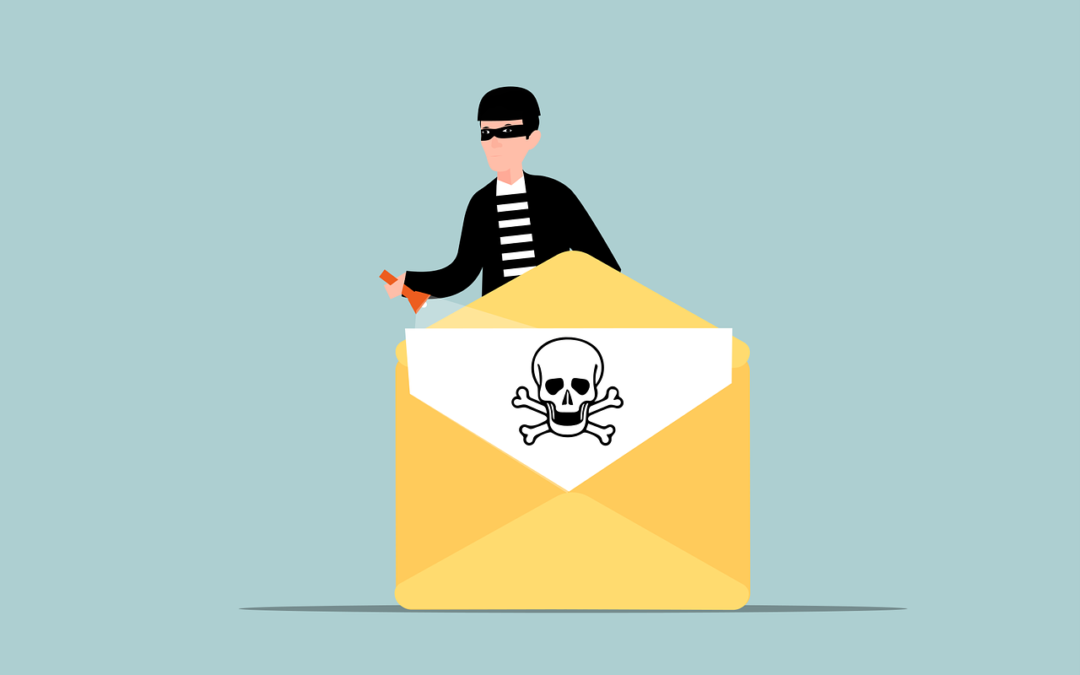
In recent years, electronic mail (email for short) has become an essential part of our daily lives. Many people use it for various purposes, including business transactions. With the increasing dependence on digital technology, cybercrime has grown. A significant cyber threat facing businesses today is Business Email Compromise (BEC).
Why is it important to pay particular attention to BEC attacks? Because they’ve been on the rise. BEC attacks jumped 81% in 2022, and as many as 98% of employees fail to report the threat.
What is Business Email Compromise (BEC)?
Business Email Compromise (BEC) is a type of scam in which criminals use email fraud to target victims. These victims include both businesses and individuals. They especially target those who perform wire transfer payments.
The scammer pretends to be a high-level executive or business partner. Scammers send emails to employees, customers, or vendors. These emails request them to make payments or transfer funds in some form.
According to the FBI, BEC scams cost businesses around $1.8 billion in 2020. That figure increased to $2.4 billion in 2021. These scams can cause severe financial damage to businesses and individuals. They can also harm their reputations.
How Does BEC Work?
BEC attacks are usually well-crafted and sophisticated, making it difficult to identify them. The attacker first researches the target organization and its employees. They gain knowledge about the company’s operations, suppliers, customers, and business partners.
Much of this information is freely available online. Scammers can find it on sites like LinkedIn, Facebook, and organizations’ websites. Once the attacker has enough information, they can craft a convincing email. It's designed to appear to come from a high-level executive or a business partner.
The email will request the recipient to make a payment or transfer funds. It usually emphasizes the request being for an urgent and confidential matter. For example, a new business opportunity, a vendor payment, or a foreign tax payment.
The email will often contain a sense of urgency, compelling the recipient to act quickly. The attacker may also use social engineering tactics. Such as posing as a trusted contact or creating a fake website that mimics the company's site. These tactics make the email seem more legitimate.
If the recipient falls for the scam and makes the payment, the attacker will make off with the funds. In their wake, they leave the victim with financial losses.
How to Fight Business Email Compromise
BEC scams can be challenging to prevent. But there are measures businesses and individuals can take to cut the risk of falling victim to them.
Educate Employees
Organizations should educate their employees about the risks of BEC. This includes providing training on how to identify and avoid these scams. Employees should be aware of the tactics used by scammers. For example, urgent requests, social engineering, and fake websites.
Training should also include email account security, including:
- Checking their sent folder regularly for any strange messages
- Using a strong email password with at least 12 characters
- Changing their email password regularly
- Storing their email password in a secure manner
- Notifying an IT contact if they suspect a phishing email
Enable Email Authentication
Organizations should implement email authentication protocols.
This includes:
- Domain-based Message Authentication, Reporting, and Conformance (DMARC)
- Sender Policy Framework (SPF)
- DomainKeys Identified Mail (DKIM)
These protocols help verify the authenticity of the sender's email address. They also reduce the risk of email spoofing. Another benefit is to keep your emails from ending up in junk mail folders.
Deploy a Payment Verification Processes
Organizations should deploy payment verification processes, such as two-factor authentication. Another protocol is confirmation from multiple parties. This ensures that all wire transfer requests are legitimate. It’s always better to have more than one person verify a financial payment request.
Check Financial Transactions
Organizations should check all financial transactions. Look for irregularities, such as unexpected wire transfers or changes in payment instructions.
If you don’t perform these according to a schedule, it is easy for them to get forgotten. Set up a calendar item for the review of financial transactions. Use a schedule that makes sense for your business and transaction volume.
Establish a Response Plan
Organizations should establish a response plan for BEC incidents. This includes procedures for reporting the incident. As well as freezing the transfer and notifying law enforcement.
Use Anti-phishing Software
Businesses and individuals can use anti-phishing software to detect and block fraudulent emails. As AI and machine learning gain widespread use, these tools become more effective.
The use of AI in phishing technology continues to increase. Businesses must be vigilant and take steps to protect themselves.
Need Help with Email Security Solutions?
It only takes a moment for money to leave your account and be unrecoverable. Don’t leave your business emails unprotected. Give us a call today to discuss our email security solutions.
--
Featured Image Credit
This Article has been Republished with Permission from The Technology Press.

Jul 10, 2023
What would you do if your business suffered a ransomware attack tomorrow? Do you have a contingency plan in case of a tornado, hurricane, or earthquake? The unexpected can happen anytime, and small businesses can get hit particularly hard.
Small businesses are the backbone of many economies. They are critical for job creation, innovation, and community development. But running a small business comes with significant risks. This includes financial uncertainty, market volatility, and natural disasters.
60% of small businesses fail within 6 months of falling victim to a cyber-attack.
Thus, small business owners must prepare for the unexpected. This is to ensure their longevity and success. In this article, we will discuss some tips to help small businesses get ready for anything.
Tip 1: Create a Contingency Plan
One of the most critical steps in preparing for the unexpected is to create a contingency plan. A contingency plan is a set of procedures that help a business respond to unforeseen events. Such as natural disasters, supply chain disruptions, or unexpected financial setbacks.
The plan should outline the steps the business will take in the event of an emergency. Including who will be responsible for what tasks. As well as how to communicate with employees, customers, and suppliers.
Tip 2: Maintain Adequate Insurance Coverage
Small businesses should always maintain adequate insurance coverage. This protects them from unexpected events. Insurance policies should include things like:
- Liability coverage
- Property damage coverage
- Business interruption coverage
- Data breach costs
Business interruption coverage is particularly important. It can help cover lost income and expenses during a disruption. Such as a natural disaster or supply chain disruption.
One of the newer types of policies is cybersecurity liability insurance. In today’s threat landscape, it has become an important consideration. Cybersecurity insurance covers things like costs to remediate a breach and legal expenses.
Tip 3: Diversify Your Revenue Streams
Small businesses that rely on a single product or service are at greater risk. Unexpected events can cause them significant harm. Something like a raw material shortage could cripple an organization without alternatives.
Diversifying your revenue streams can help reduce this risk. It ensures that your business has several sources of income. For example, a restaurant can offer catering services. A clothing store can sell merchandise online as well as its physical location.
Tip 4: Build Strong Relationships with Suppliers
Small businesses should build strong relationships with their suppliers. This ensures that they have a reliable supply chain. This is particularly important for businesses relying on one supplier for their products.
In the event of a disruption, having strong relationships matters. It mitigates the risk of a supplier bankruptcy or supply chain issue. Having supplier options can help reduce the impact on your business.
Tip 5: Keep Cash Reserves
Small businesses should keep cash reserves to help them weather unexpected events. Cash reserves can help cover unexpected expenses. Such as repairs, legal fees, or loss of income. As a general rule of thumb, businesses should keep at least six months' worth of expenses in cash reserves.
Tip 6: Build Strong Outsourcing Relationships
If business owners try to do everything in house, they’re at higher risk. For example, if a key IT team member quits. In this case, the company could face major security issues.
Build strong outsourcing relationships with an IT provider and other critical support services. If something happens to a company’s staff or systems, they have a safety net.
Tip 7: Check Your Financials Regularly
Small business owners should check their finances regularly. This is to ensure that they are on track to meet their goals and to identify any potential issues early on.
This includes:
- Tracking income and expenses
- Creating and reviewing financial statements
- Regularly meeting with a financial advisor
Tip 8: Invest in Technology
Investing in technology can help small businesses prepare for unexpected events. For example, cloud-based software can help businesses store their data off-site. This ensures that it is safe in the event of a natural disaster or cyber-attack. Technology can also help businesses automate processes. Automation reduces the risk of errors and improves efficiency.
Tip 9: Train Employees for Emergencies
Small businesses should train their employees for emergencies. This helps ensure that everyone knows what to do in the event of an unexpected event.
This includes training for natural disasters, cyber-attacks, and other emergencies. Businesses should also have a plan for communicating with employees during an emergency. As well as ensure that everyone has access to the plan.
Tip 10: Stay Up to Date on Regulatory Requirements
Small businesses should stay up to date on regulatory requirements. This helps ensure that they are compliant with all laws and regulations. This includes tax laws, labor laws, and industry-specific regulations. Non-compliance can result in fines, legal fees, and damage to your business's reputation.
In conclusion, small businesses face many risks. But by following these tips, they can prepare themselves for the unexpected.
Improve Business Continuity & Disaster Preparedness
Get started on a path to resilience and protect your business interests. We can help you prepare for the unexpected. Give us a call today to schedule a chat.
--
Featured Image Credit
This Article has been Republished with Permission from The Technology Press.
Jul 5, 2023
In today's world, technology is ubiquitous, and connectivity is a must. Securing your home network has become more critical than ever. A secure home network is essential for protecting your personal data from hackers.
From phishing to smishing (SMS phishing), it’s getting harder to avoid a breach. Individuals often have fewer safeguards in place at home than at work. Yet many are working from home, which puts both personal and company data at risk.
About 46% of businesses saw at least one cybersecurity incident within two months of moving to remote work.
The good news is that there’s no lack of materials on home network security. Many of the steps are straightforward and can help you avoid a data breach at home.
The National Security Agency (NSA) has provided some best practices. These are for securing your home network. We’ll highlight some of the most helpful tips below.
1. Change Default Passwords and Usernames
The first step to secure your home network is to change the default login. This means changing the passwords and usernames of your router and connected devices. Default passwords and usernames are often well-known to hackers. Criminals can easily use them to access your data. Changing these default credentials is an essential step in securing your home network.
2. Enable Encryption
Encryption is a process of encoding information. This is in such a way that only authorized parties can read it. Enabling encryption on your home network is crucial to protect your data. It keeps hackers from intercepting and reading it. Most modern routers support encryption protocols such as WPA2 or WPA3. Ensure that you use the latest encryption standard, which would be WPA3, used in Wi-Fi 6 routers.
3. Update Firmware
The firmware is the software that runs on your router and other connected devices. Manufacturers release firmware updates to fix security vulnerabilities and add new features. Updating the firmware on your router is important to securing your home network. You can usually check for firmware updates from the router's web interface. You can also find updates on the manufacturer's website.
This is critical to remember because a lot of people never do this. They only see the router app during setup and rarely go back unless there is a need. Set a calendar item to check your router app at least once per month for updates.
4. Enable a Firewall
A firewall is a network security system that monitors and controls network traffic. This includes both incoming and outgoing traffic. Enabling a firewall on your router can help protect your network. It defends against malicious traffic and unauthorized access. Most modern routers have a built-in firewall. You can typically enable this through the router's web interface.
5. Disable Unused Services
Most routers come with a range of services that manufacturers enable by default. These services can include file sharing, remote management, and media streaming. Disabling any unused services can reduce the risk of a hacker exploiting them. They often use these services to gain access to home networks. Only enable services that you need and are essential for your network.
6. Secure Wi-Fi Network
Your Wi-Fi network is one of the most critical aspects of your home network. Securing your Wi-Fi network involves several steps. These include:
- Changing the default SSID (network name)
- Disabling SSID broadcast
- Enabling MAC address filtering
- Disabling WPS (Wi-Fi Protected Setup)
These steps can help prevent unauthorized access to your Wi-Fi network. If you need help with these steps, just let us know. We can save you some time and frustration and ensure your network is properly secured.
7. Use Strong Passwords
Passwords are a critical component of any security system. Using weak or easily guessable passwords can make your network vulnerable. Ensure that you use strong passwords for your router and other connected devices. A strong password should be at least 12 characters long. It should also include a combination of upper and lowercase letters. As well as at least one number and one symbol.
8. Create a Guest Network
Do you have guests, such as your children’s friends, who need to access your Wi-Fi network? If so, create a separate guest network. A guest network is a separate Wi-Fi network that guests can use. This gives them access the internet without accessing your primary network. This can help protect your primary network from potential security threats.
9. Limit Physical Access
Physical access to your router and other connected devices can be a security risk. Ensure that you place your router in a secure location, such as a locked cabinet or a room with limited access. Also, ensure that you disable physical access to the router's web interface. Especially if you have guests or children who may tamper with the settings.
Schedule a Home Cybersecurity Visit Today
Securing your home network is essential for protecting your personal data from threats. By following the best practices, you can ensure that your network is better protected.
Want to save some time and have us do the heavy lifting? Give us a call today to schedule a home cybersecurity visit.
--
Featured Image Credit
This Article has been Republished with Permission from The Technology Press.