
Aug 25, 2023
Remote work has become increasingly popular in recent times. It provides flexibility and convenience for employees. Additionally, telecommuting reduces office costs for employers. Many also cite productivity benefits due to fewer distractions.
Research shows a 56% reduction in unproductive time when working at home vs. the office.
But there are some drawbacks to working outside the office. It’s crucial to be aware of the cybersecurity risks that come with remote and hybrid work. Keeping an eye on device and network security isn’t as easy. About 63% of businesses have experienced a data breach due to remote employees.
This news doesn’t mean that you must risk security to enjoy remote working. You can strike a balance. Be aware of the cybersecurity concerns and address them to do this.
Below, we'll discuss some of the top cybersecurity risks associated with remote work. As well as provide practical tips on how employees and employers can address them.
Remote Work Risks & Mitigation
1. Weak Passwords and Lack of Multi-Factor Authentication
Using weak passwords puts accounts at risk of a breach. Also, reusing passwords across several accounts is a big cybersecurity risk. Remote workers often access company systems, databases, and sensitive information from various devices.
To mitigate this risk, you should create strong and unique passwords for each account. Additionally, enable multi-factor authentication (MFA) whenever possible. This adds an extra layer of security by requiring a second form of verification.
Employers can set up access management systems. These solutions help automate the authentication process. They can also deploy safeguards like contextual MFA.
2. Unsecured Wi-Fi Networks
Working remotely often means connecting to different Wi-Fi networks. Such as public hotspots or home networks that may not be adequately secured. These unsecured networks can expose your sensitive data to hackers.
To protect company data, use a Virtual Private Network (VPN). Turn on the VPN when connecting to public or unsecured Wi-Fi networks. A VPN encrypts the internet traffic. This ensures that data remains secure even on untrusted networks.
3. Phishing Attacks
Phishing attacks remain a prevalent threat, and remote workers are particularly vulnerable. Attackers may send deceptive emails or messages. These messages trick users into revealing their login credentials or downloading malicious attachments.
To defend against phishing attacks, be cautious when opening emails. Especially those from unknown sources. Avoid clicking on suspicious links. Verify the sender's email address.
Also, be wary of any requests for sensitive information. If in doubt, contact your IT support team to confirm the legitimacy of the communication.
4. Insecure Home Network Devices
Many remote workers use Internet of Things (IoT) devices. These include smart speakers, home security systems, and thermostats. These devices can introduce vulnerabilities to your home network if not properly secured.
To address this risk, make sure to change the default passwords on your IoT devices. Also, keep them updated with the latest firmware. Consider creating a separate network for your IoT devices. A "guest" network can isolate them from your work devices and data.
Employers can improve security for remote teams using an endpoint device manager. Such as Microsoft Intune, or similar. These devices make it easier to manage security across many employee devices.
5. Lack of Security Updates
Regularly updating your devices and software is crucial for maintaining strong cybersecurity. Remote workers may neglect these updates due to busy schedules or limited awareness. Cybercriminals often exploit vulnerabilities in outdated software to gain unauthorized access to systems.
To mitigate this risk, enable automatic updates on devices and software whenever possible. Regularly check for updates. Install them promptly to ensure you have the latest security patches.
6. Data Backup and Recovery
Remote workers generate and handle a significant amount of data. The loss or corruption of this data can be devastating. Implementing a robust data backup and recovery plan is essential.
Back up your important files to a secure cloud storage service or an external hard drive. This ensures that if a hacker compromises a device, your data remains safe and can be easily restored.
7. Insufficient Employee Training
Remote workers should receive proper cybersecurity training. It helps them to understand security risks and best practices. Unfortunately, many companies neglect this aspect of cybersecurity. This leaves employees unaware of the potential threats they may encounter.
Organizations must provide comprehensive cybersecurity training to remote workers. This training should cover topics such as:
- Identifying phishing emails
- Creating strong passwords
- Recognizing suspicious online behavior
- New forms of phishing (such as SMS-based “smishing”)
Get Help Improving Remote Team Cybersecurity
Remote work offers many benefits. But it's important to remain vigilant about the associated cybersecurity risks. Address these risks head-on and put in place the suggested measures. If you’d like some help, just let us know.
Give us a call today to schedule a chat.
--
Featured Image Credit
This Article has been Republished with Permission from The Technology Press.
Aug 20, 2023
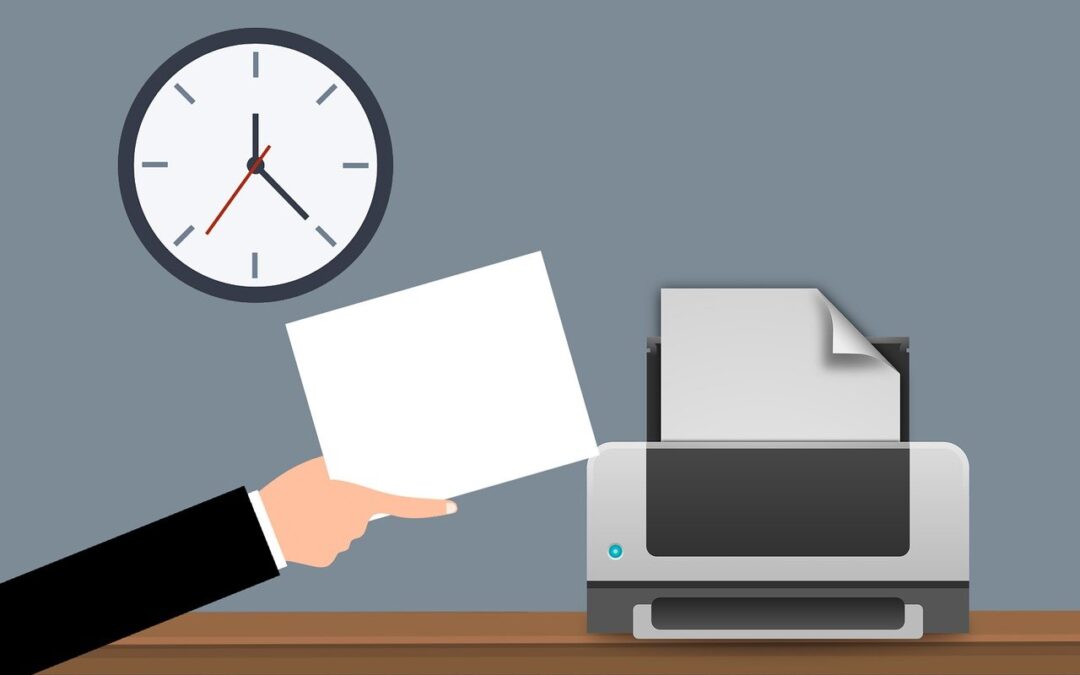
In today's digital workplace, printing remains an essential function. This is true for just about all businesses. But keeping up with your print infrastructure can be a time-consuming task. One printer down can mean work comes to a standstill.
Another issue is keeping up with all those printer drivers. If firmware updates aren’t done, vulnerabilities exist. One unprotected printer can cause an entire network malware infection.
Microsoft has come up with an answer to streamline print management. This solution is called Microsoft Universal Print. It offers a modern answer to age-old print problems.
Looking to improve how you handle document printing? Do you wish you could avoid printer problems? Below, we’ll explore the benefits and features of Microsoft Universal Print. We’ll also help you discover how it can enhance your printing environment.
What Can Microsoft Universal Print Do for You?
Microsoft Universal Print leverages the power of Microsoft 365 and Azure. It eliminates the need for complex on-premises print infrastructure. Here are some of the ways that it can improve your document handling.
Simplifying Print Management
Microsoft Universal Print eliminates the need for on-premises print servers. Print management becomes more simplified and all in one place. Organizations can centrally manage their printing needs from the cloud.
This ease of use removes the need for complex print server configurations. As well as driver installations and print queue management. This results in significant time and cost savings.
Seamless Integration with Microsoft 365
A key advantage of Universal Print is its seamless integration with Microsoft 365. It works in tandem with Azure Active Directory. This ensures a secure and authenticated printing experience for users.
This integration allows users to print from any device, whether it's a Windows PC, Mac, or mobile device. There’s no need for complex setup or driver installations. It simplifies the printing process. It also enhances productivity for employees working across different platforms.
Flexibility and Scalability
With Microsoft Universal Print, organizations gain flexibility and scalability in their print activities. It supports both modern and legacy printers. This allows businesses to leverage their existing printer fleet.
Universal Print enables easy connectivity. This is true whether it's a local printer or a network printer. As well as management through the cloud. Additionally, it offers centralized control and monitoring of printers. This makes it effortless to scale up or down based on business needs.
Streamlined Printer Deployment
Deploying printers across an organization can be a time-consuming task. Microsoft Universal Print simplifies this process. It does this by providing a centralized portal for printer management.
Administrators can easily add and configure printers. They can assign them to specific users or groups. As well as manage printer settings from a single interface. This eliminates the need for manual configuration on individual devices. Which can be very time-consuming and fraught with issues. It also ensures a consistent printing experience across the organization.
Enhanced Security and Compliance
A big benefit of using Microsoft Universal Print is its security capabilities. Print security is a critical concern for businesses, especially in today's threat landscape. Microsoft Universal Print enhances security by leveraging Azure Active Directory. It’s used for authentication and access control.
It also supports secure print release. This means that sensitive documents are only printed under certain circumstances. Namely, when the authorized user is physically present at the printer.
Moreover, Universal Print integrates with Microsoft Endpoint Manager. This gives organizations even more capabilities. They can enforce security policies and manage print-related settings from a centralized location.
Insights and Analytics
Understanding print usage and optimizing print infrastructure is essential for efficient cost management. Microsoft Universal Print provides insights and analytics that help organizations gain visibility. They’re able to see print usage patterns. As well as track printing costs and identify opportunities for optimization.
With detailed reporting and analytics, businesses can make informed decisions. Reporting enables better print resource allocation. As well as the implementation of strategies to reduce printing costs.
Is Microsoft Universal Print for You?
Microsoft Universal Print offers a modern and efficient approach to print management. It streamlines the printing experience for organizations. It also eliminates the need for complex on-premises print infrastructure. There are also important benefits from the boost in security.
But is it for you?
We can help you understand the full capabilities of Microsoft Universal Print. Including the costs versus the benefits. Whether the solution is for you will depend on your printing needs. Extra factors to consider will be how often you print and your number of endpoints.
Get Cost-Efficient Technology Answers
It’s not easy to make software decisions on your own. That’s why we’re here to help! We can sit down with you to discuss your current infrastructure. We’ll help you evaluate solutions, like Microsoft Universal Print. Then, we’ll tell you straight up what makes the most sense for you.
Give us a call today to chat about your technology needs.
--
Featured Image Credit
This Article has been Republished with Permission from The Technology Press.

Aug 15, 2023
Moving can be a chaotic and stressful time. Especially when it comes to handling your valuable technology. Whether you're relocating your home or office, it's essential to take extra care. Both with fragile items and when packing and moving your devices and other tech items.
To help you navigate this process smoothly, we've put together a handy checklist. Use this to help ensure your technology remains safe and sound during the move.
Back-Up Everything
Before you start disassembling your technology, make sure to back up all your data. Create copies of important files, documents, photos, and any other irreplaceable information. You can either use an external hard drive, cloud storage, or both. By doing this, you'll have peace of mind knowing you've protected your data. Should something unfortunate happen during the move, your files will be intact.
Organize and Label Cables
We all know the struggle of untangling a mess of cables. This is true especially when you're eager to set up your devices in the new place. To avoid this headache, take the time to organize and label your cables before packing.
Use cable ties or twist ties to keep them neatly bundled. Attach labels to identify which cable belongs to which device. Trust us; this simple step will save you a lot of time and frustration later on.
Pack Devices Carefully
When packing your devices, opt for their original boxes whenever possible. If you have the storage space, this is why you don’t want to toss those out. The original packaging is designed to provide the best protection during shipping. There are usually specific compartments to secure each component.
If you don't have the original boxes, use sturdy cardboard boxes. Wrap each device in bubble wrap or anti-static foam to prevent any damage. Fill any empty spaces in the boxes with packing peanuts or crumpled paper to ensure a snug fit.
Remove Ink Cartridges and Batteries
It might seem easier to just load up your printers “as is” to move them. But that’s not a good idea. For printers and devices that use ink, it's crucial to remove those cartridges. Do this before packing the devices. Ink cartridges can leak or dry out during transit. This can cause a mess or render them useless.
Also, remove batteries from devices such as laptops, cameras, or remote controls. This precaution prevents accidental power-on and potential damage during the move. Pack the cartridges and batteries separately in sealed bags and label them.
Take Photos of Cable Connections
Before unplugging cables from your devices, snap a quick photo of the connections. This visual reference will be very helpful when it's time to set up everything at your new location. You won't have to worry about remembering which cable goes where. And won’t need to spend hours trying to figure it out. Simply refer to the photos, and you'll be back up and running in no time!
Pack Your Wi-Fi Equipment Separately
Reconnecting to the internet is usually one of the first things done for both home and office moves. To make it easier, pack all your Wi-Fi network equipment separately from other items.
This includes your modem, router, ethernet cables, and other network connectors. Clearly label the box “Wi-Fi Equipment” so you’ll know right where to go first to get online.
Secure Fragile Screens
Are you moving devices with delicate screens, such as TVs or monitors? Then take extra precautions to protect them from scratches and cracks.
Place a soft cloth or microfiber cloth over the screen. Secure it with elastic bands or tape. This barrier will shield the screen from any accidental contact during transit. Additionally, make sure to pack these items in a vertical position to reduce the risk of damage.
Inform the Movers about Fragile Items
When enlisting professional movers, be sure to be clear about your technology. Inform them about the fragile nature of your devices and other tech items. Clearly label the boxes containing your valuable devices as "fragile." Provide any necessary instructions to handle them with care. By communicating your concerns upfront, you reduce the chances of accidents while moving.
Test Everything After the Move
If you’ve moved offices, you don’t want to find out about problems on a busy Monday morning. Once you've moved your technology and reconnected cables, turn your devices on. Test them to ensure they work as usual and weren’t damaged.
Something may not look damaged on the outside. But that doesn’t mean that there isn’t internal damage. You want to know this upfront so you can file a claim and call in an IT service professional to help.
Need Help with a Safe Technology Move?
Moving can be a hectic and challenging process, especially when moving office tech. But with the right approach, you can ensure the safety of your devices from point A to point B.
Need help from the pros to move your technology securely? Give us a call today to schedule a chat.
--
Featured Image Credit
This Article has been Republished with Permission from The Technology Press.

Aug 10, 2023
In today's digital age, technology plays a significant role in our lives. But along with the rapid advancements and innovations, several myths have persisted.
Is it okay to leave your smartphone charging overnight? Do Macs get viruses? And what about those 5G towers? What’s going on with those?
Common tech myths can often lead to misunderstandings. They can even hinder your ability to fully use various tools and devices. In this blog post, we will debunk some of the most common tech myths that continue to circulate. We’ll also explore the truth behind them.
Myth 1: Leaving your device plugged in overnight damages the battery.
First is one of the most persistent tech myths. Leaving your device plugged in overnight will harm the battery life. But this myth is largely outdated.
Modern smartphones, laptops, and other devices have advanced battery management systems. These systems prevent overcharging.
Once your device reaches its maximum charge capacity, it automatically stops charging. This is true even if it remains connected to the power source. In fact, it is often recommended to keep your device plugged in overnight to ensure a full charge by morning.
So, feel free to charge your gadgets overnight without worrying about battery damage.
Myth 2: Incognito mode ensures complete anonymity.
Many users believe that using incognito mode in web browsers guarantees complete anonymity. They feel completely secure while surfing the internet using this mode. But this is not entirely accurate. While incognito mode does provide some privacy benefits, they’re limited.
For example, it mainly prevents your device from saving the following items:
- Browsing history
- Cookies
- Temporary files
However, it does not hide your activities from your internet service provider (ISP). Nor from the websites you visit. ISPs and websites can still track your IP address. They can also still watch your online behavior and collect data.
Do you truly want to remain anonymous online? Then consider using a virtual private network (VPN). Or other specialized tools that provide enhanced privacy protection.
Myth 3: Macs are immune to viruses.
Another prevalent myth is that Mac computers are impervious to viruses and malware. It is true that Macs have historically been less prone to such threats compared to Windows PCs. This does not make them immune.
Some people that tout this myth point to malware statistics. For example, in 2022, 54% of all malware infections happened in Windows systems. Just 6.2% of them happened in macOS.
But you also need to factor in operating system (OS) market share. As of January 2023, Windows had about 74% of the desktop OS share. Mac’s OS had just 15%.
When you consider this, it turns out the systems aren’t that different when it comes to virus and malware risk. The infection rate per user on Macs is 0.075. This is slightly higher than on Windows, at 0.074. So, both systems have a pretty even risk of infection. This is the case even though Macs have a significantly lower infection count.
As the popularity of Macs has grown, so has the interest of hackers in targeting these devices. Malicious software specifically designed for Macs does exist. Users should take proper precautions, no matter the operating system in use.
You need to install reliable antivirus software. As well as keeping the operating system and applications up to date. Exercise caution when downloading files or clicking on suspicious links. Being aware of potential security risks and practicing safe browsing habits is crucial. This is true for Mac users, just as it is for any other platform.
Myth 4: More megapixels mean better image quality.
When it comes to smartphone cameras, savvy marketing sometimes leads to myths. Many people believe that more megapixels equal better image quality. This is a common misconception.
Megapixels are an essential factor in determining the resolution of an image. But they are not the sole indicator of image quality. Other factors play a significant role. Such as:
- The size of individual pixels
- Lens quality
- Image processing algorithms
- Low-light performance
A camera with a higher megapixel count may produce larger images. But it does not guarantee superior clarity, color accuracy, or dynamic range.
Manufacturers often strike a balance between pixel count and other image processing technologies. They do this to achieve optimal results. When choosing a smartphone or any camera, consider the complete camera system. Don't only focus on the megapixel count.
Separate Fact from Fiction
In a world where technology is an integral part of our lives, you must separate fact from fiction. Debunking common tech myths can empower you to make informed decisions. It can also maximize the potential of your digital experiences. An understanding of the truth behind these myths helps you use technology more effectively. It can also help you better protect your privacy.
Get the Technology Facts from a Trusted Pro
Whether you need help with an infected PC or setting up a corporate network, we’re here for you. We cut through the tech myths to bring you reliable and efficient service.
Give us a call today to chat about your technology goals and challenges.
--
Featured Image Credit
This Article has been Republished with Permission from The Technology Press.
Aug 5, 2023
Cybersecurity threats are becoming increasingly sophisticated and prevalent. In 2022, ransomware attacks jumped by 93%. The introduction of ChatGPT will only increase the potential damage of cyber-attacks.
Protecting sensitive data and systems requires a comprehensive approach. One that goes beyond a single security solution. This is where a defense-in-depth cybersecurity strategy comes into play.
In this article, we will explore the advantages of adopting a defense-in-depth approach. As well as its benefits for safeguarding your network and mitigating cyber risks.
What Does a Defense-in-Depth Approach Mean?
First, let’s define what it means to use a defense-in-depth approach to cybersecurity. In simple terms, it means having many layers of protection for your technology.
Just like how you might have locks on your doors, security cameras, and an alarm system to protect your home. A defense-in-depth strategy uses different security measures to safeguard your digital assets.
Many layers are better than one when it comes to security. A defense-in-depth strategy combines various defenses. This is to make it harder for cyber attackers to succeed.
These defenses can include things like:
- Firewalls
- Antivirus software
- Strong passwords
- Encryption
- Employee training
- Access management
- Endpoint security
A defense-in-depth strategy also emphasizes early detection and rapid response. It involves using tools and systems that can quickly detect suspicious activities. This enables you to catch an attacker early. And take action to reduce any damage.
A defense-in-depth cybersecurity strategy provides a strong and resilient defense system. Its several layers of security increase the chances of staying secure. This is especially important in today's dangerous online world.
Advantages of Adopting a Defense-in-Depth Approach
Enhanced Protection
A defense-in-depth strategy protects your infrastructure in many ways. This makes it harder for attackers to breach your systems. Implementing a combination of security controls creates a robust security posture. Each layer acts as a barrier. If one layer fails, the others remain intact. This minimizes the chances of a successful attack.
Early Detection and Rapid Response
With a defense-in-depth approach, you have many security measures that can detect threats. As well as alert you to these potential dangers.
Some systems used to detect suspicious activities and anomalies in real-time are:
- Intrusion detection systems
- Network monitoring tools
- Security incident and event management (SIEM) solutions
This early detection allows you to respond quickly. This minimizes the impact of a potential breach. It also reduces the time an attacker has to access critical assets.
Reduces Single Point of Failure
A defense-in-depth strategy ensures that there is no single point of failure. Such as a single vulnerability that could compromise your entire security infrastructure. Relying solely on one security measure, such as a firewall, could prove catastrophic. Especially if it fails or if attackers find a way to bypass it.
It’s better to diversify your security controls. You create a resilient defense system. One where the failure of one control does not lead to a complete breach.
Protects Against Advanced Threats
Cybercriminals continually evolve their techniques to overcome traditional security measures. A defense-in-depth approach accounts for this reality. It incorporates advanced security technologies. Such as behavior analytics, machine learning, and artificial intelligence. These technologies can identify and block sophisticated threats. This includes zero-day exploits and targeted attacks. They do this by analyzing patterns and detecting anomalies in real-time.
Compliance and Regulatory Requirements
Many industries are subject to specific compliance and regulatory requirements. Such as the General Data Protection Regulation (GDPR) or the Health Insurance Portability and Accountability Act (HIPAA). Adopting a defense-in-depth strategy can help you meet these requirements.
By implementing the necessary security controls, you show a proactive approach. It's proof of your efforts to protect sensitive data. This can help you avoid legal and financial penalties associated with non-compliance.
Flexibility and Scalability
A defense-in-depth strategy offers flexibility and scalability. This allows you to adapt to evolving threats and business needs. New technologies and security measures emerge all the time. You can integrate them seamlessly into your existing security framework.
Furthermore, you can scale your security controls as your organization grows. This ensures that your cybersecurity strategy remains effective. As well as aligned with your expanding infrastructure.
Employee Education and Awareness
A defense-in-depth approach extends beyond technology. It encompasses employee education and awareness. Educating your employees about cybersecurity best practices can significantly reduce risk. Especially those coming from human error and social engineering attacks.
Training and awareness programs create a human firewall. This complements your technical controls. It’s also a key component of any defense-in-depth cybersecurity approach.
Protect Your Business from Today’s Sophisticated Cyber Threats
We are in an era where cyber threats are constantly evolving. They are becoming even more sophisticated with AI. A defense-in-depth cybersecurity strategy is a must. Having many layers of security can significantly enhance your protection against cyber threats.
Looking to learn more about a defense-in-depth approach? Give us a call today to schedule a cybersecurity chat.
--
Featured Image Credit
This Article has been Republished with Permission from The Technology Press.